
The transformation from paper-based document signing to digital solutions has revolutionised how professionals manage critical paperwork. An application to sign documents offers more than simple convenience-it provides security, compliance, and efficiency that traditional methods cannot match. For electricians managing Certificates of Compliance and other regulatory documents, choosing the right digital signing solution directly impacts operational efficiency, legal protection, and client satisfaction. Understanding the landscape of electronic signature applications helps professionals make informed decisions that protect their business whilst streamlining daily workflows.
Why Digital Document Signing Matters for Professional Compliance
Traditional document signing processes create bottlenecks that cost professionals valuable time and money. Paper-based systems require physical presence, manual filing, and storage space whilst increasing the risk of lost or damaged documents. An application to sign documents eliminates these inefficiencies by enabling remote signing, automated storage, and instant retrieval.
The business case for digital signing extends beyond convenience:
- Reduced turnaround time from days to minutes
- Lower operational costs through eliminated printing and courier expenses
- Enhanced accuracy with built-in validation checks
- Improved client satisfaction through faster service delivery
- Stronger audit trails with timestamped, tamper-proof records
For electricians issuing SANS 10142-1 compliant Certificates of Compliance, these advantages translate directly into competitive advantage. The ability to complete jobs faster whilst maintaining regulatory compliance creates opportunities for increased volume and improved profitability.

Legal Recognition and Regulatory Framework
Electronic signatures carry the same legal weight as handwritten signatures when properly implemented. The legal framework for electronic signatures establishes clear requirements for validity, including signer intent, consent to electronic transactions, and proper attribution methods.
Understanding the E-SIGN Act requirements helps organisations implement compliant systems. These regulations ensure that electronic documents and signatures maintain enforceability across jurisdictions whilst protecting all parties involved in transactions.
| Legal Requirement | Purpose | Implementation |
|---|---|---|
| Signer Intent | Prove deliberate action | Click-to-sign, biometric confirmation |
| Attribution | Link signature to individual | Authentication, unique credentials |
| Record Retention | Maintain accessible copies | Cloud storage, audit logs |
| Consent | Confirm agreement to electronic process | Explicit opt-in, documented acceptance |
Different industries face specific regulatory requirements. The pharmaceutical sector's electronic signature controls demonstrate how critical applications must implement rigorous security measures to satisfy regulatory bodies.
Essential Features in Modern Document Signing Applications
Selecting an application to sign documents requires careful evaluation of features that support your specific workflow requirements. Not all solutions offer equal capabilities, and choosing one that lacks critical functionality can create new problems rather than solving existing ones.
Authentication and Security Mechanisms
Biometric security represents the gold standard for electronic signatures. Fingerprint scanning, facial recognition, and other biometric methods provide non-repudiable proof of identity that passwords alone cannot match. This technology ensures that only authorised individuals can sign documents, protecting both the organisation and clients from fraud.
Multi-factor authentication adds additional security layers by requiring multiple verification methods before granting signature authority. This approach satisfies stringent compliance requirements whilst maintaining user convenience through mobile device integration.
Encryption protects documents both in transit and at rest. End-to-end encryption ensures that sensitive information remains confidential throughout the signing process, from initial creation through final storage. This protection proves essential for compliance documents containing personal or proprietary information.
Compliance and Audit Capabilities
An effective application to sign documents must generate comprehensive audit trails that document every action taken on a file. These trails record who accessed the document, when signatures were applied, what changes were made, and where the document was sent. Such detailed logging provides crucial evidence for regulatory audits and dispute resolution.
Built-in compliance checks prevent common errors before documents are finalised:
- Field validation ensures all required information is captured
- Format verification confirms data meets specification requirements
- Completeness checks prevent submission of incomplete documents
- Regulatory rule enforcement maintains industry standards
- Version control tracks document changes over time
For electricians working with electrical compliance certificates, these automated checks reduce the risk of rejected submissions and costly rework. The system acts as a quality control mechanism that catches issues before they impact client relationships or regulatory standing.

Platform Integration and Workflow Optimisation
Modern document signing applications function as components within larger business ecosystems rather than standalone tools. Integration capabilities determine how effectively the application to sign documents enhances overall productivity.
Cloud-Based Architecture Benefits
Cloud platforms provide advantages that on-premise solutions cannot match. Accessibility from any device with internet connectivity enables field professionals to complete and sign documents at job sites rather than returning to an office. This immediate completion reduces delays and improves cash flow through faster invoicing.
Offline capability extends these benefits to locations with limited connectivity. Applications that support offline work allow professionals to capture data, complete fields, and prepare documents without internet access. Once connectivity is restored, the system automatically synchronises changes and enables signature completion.
Data redundancy and backup protection inherent in cloud architecture safeguard critical business records against hardware failure, theft, or disaster. Multiple geographically distributed copies ensure document availability even during local disruptions.
Mobile Application Functionality
The mobile experience often determines user adoption success more than desktop features. An application to sign documents must deliver full functionality through mobile interfaces, recognising that field professionals work primarily from smartphones and tablets.
Voice-to-text capabilities accelerate data entry by allowing professionals to dictate information rather than typing on small screens. This feature particularly benefits electricians completing certificates whilst managing tools and equipment at job sites. Natural language processing converts spoken descriptions into properly formatted text entries.
Camera integration enables instant capture of supporting documentation, photographs, and reference materials. These attachments become part of the permanent record, providing visual context that enhances certificate value and credibility.
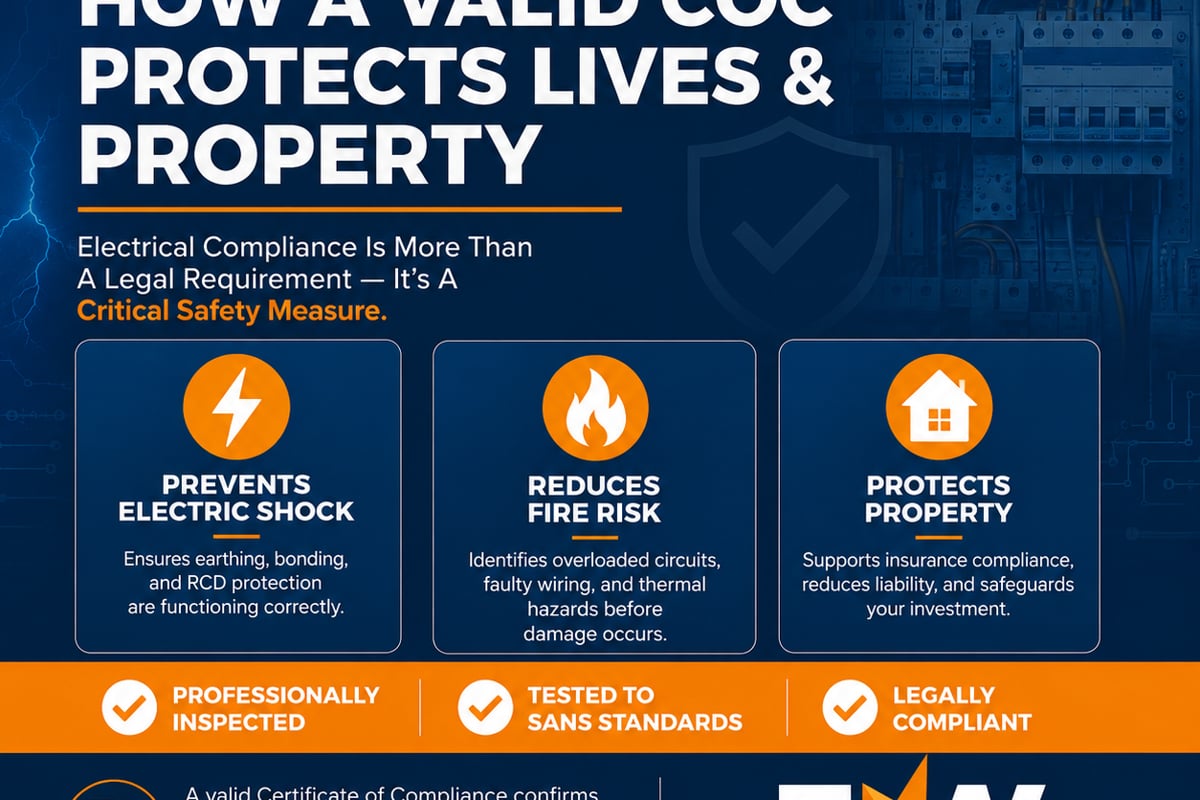
Energy Warehouse demonstrates how mobile-first design combined with compliance-specific features creates powerful efficiency gains for electrical professionals. The platform enables electricians to create, manage, and share digital Certificates of Compliance up to 60% faster than manual methods through intelligent automation and purpose-built workflows.
| Feature Category | Manual Process | Digital Application |
|---|---|---|
| Document Creation | 45-60 minutes | 15-20 minutes |
| Signature Collection | 2-5 days | Minutes to hours |
| Storage and Retrieval | Physical filing, manual search | Instant digital search |
| Compliance Verification | Manual checklist review | Automated validation |
| Distribution | Post, courier, or hand delivery | Instant electronic delivery |
Advanced Capabilities That Differentiate Solutions
Beyond basic signing functionality, sophisticated applications offer features that transform document management from administrative burden into competitive advantage. Understanding these advanced capabilities helps organisations identify solutions that deliver maximum value.
Template Systems and Standardisation
Pre-built templates ensure consistency across documents whilst reducing creation time. These templates incorporate regulatory requirements, company branding, and standard terms that apply across similar transactions. Users simply populate variable fields rather than building documents from scratch.
Template libraries support various scenarios:
- Standard compliance certificates for common installations
- Project-specific documents for particular client requirements
- Amendment forms for certificate corrections or updates
- Multi-document packages for complex projects
- Custom templates for specialised equipment or situations
Version control within template systems ensures all users access current, approved formats. When regulations change or standards update, administrators modify templates once rather than manually updating numerous individual documents.
Collaborative Workflows and Multi-Party Signing
Complex projects often require signatures from multiple parties-electricians, clients, inspectors, and contractors. An application to sign documents must orchestrate these multi-party workflows efficiently, routing documents in proper sequence whilst tracking completion status.
Sequential routing ensures proper signing order. The system automatically sends documents to the next required signer only after previous signatures are obtained. This controlled flow prevents premature distribution and ensures all prerequisite approvals occur before final authorisation.
Parallel signing accommodates situations where multiple parties can sign simultaneously without dependencies. This approach accelerates completion for documents requiring several independent signatures.
Notification systems keep all parties informed about document status without requiring manual follow-up. Automated reminders prompt action from pending signers whilst status updates inform interested parties about progress.
Document Merging and Package Assembly
Professional projects often generate multiple related documents that clients need together. Invoice packages might include certificates of compliance, test reports, warranty information, and inspection records. An application to sign documents with merging capabilities assembles these disparate files into unified packages.
Merged documents offer significant advantages:
- Simplified distribution through single-file delivery
- Reduced client confusion about related documents
- Maintained individual document integrity within merged package
- Professional presentation that enhances brand perception
- Easier archival and retrieval of complete project records
The merging process preserves individual document signatures and audit trails whilst creating the convenience of consolidated delivery. Recipients can access specific components or view the complete package according to their needs.
Implementation Considerations and Best Practices
Successfully deploying an application to sign documents requires planning beyond simple software selection. Organisations must address technical, procedural, and human factors to achieve intended benefits.
User Training and Adoption Strategies
Technology adoption depends heavily on user confidence and competence. Comprehensive training programs ensure team members understand both how to use the system and why it benefits their work. Training should emphasise efficiency gains and problem elimination rather than focusing solely on feature operation.
Effective training approaches include:
- Hands-on practice with realistic scenarios
- Quick reference guides for common tasks
- Video tutorials accessible on mobile devices
- Peer mentoring from early adopters
- Ongoing support for questions and issues
Gradual rollout allows organisations to refine processes before full deployment. Pilot programs with willing early adopters identify practical issues and generate internal champions who encourage broader adoption.
Data Migration and System Integration
Transitioning from existing systems requires careful planning to preserve historical records whilst enabling forward progress. Data migration strategies must account for format differences, field mapping, and validation of transferred information.
Integration with existing business systems maximises the value of an application to sign documents. Connections to accounting software, customer relationship management platforms, and project management tools create seamless information flow that eliminates duplicate data entry.
The attribution and authentication mechanisms built into properly integrated systems ensure that electronically signed documents maintain legal validity whilst flowing through interconnected business processes.
Security Protocols and Risk Management
Digital document signing introduces security considerations different from paper-based systems. Organisations must implement appropriate controls to protect sensitive information and maintain document integrity.
Access Control and Permission Management
Role-based access control limits system functionality based on user responsibilities. Field technicians might create and sign documents but lack authority to modify templates or access financial records. Administrative staff may manage templates and user accounts without signing authority. This granular control prevents unauthorised actions whilst enabling appropriate access.
Permission hierarchies reflect organisational structure and regulatory requirements. Senior staff might review and countersign documents prepared by junior team members. Quality assurance personnel might require read-only access to audit completed work without modification ability.
Disaster Recovery and Business Continuity
Robust backup systems protect against data loss from technical failures, human error, or malicious action. Automated backups create point-in-time snapshots that enable recovery to known good states. Geographic distribution of backup copies protects against localised disasters.
Business continuity planning addresses potential disruptions:
- Alternative access methods if primary systems fail
- Offline work capabilities during connectivity outages
- Rapid restoration procedures for critical functions
- Communication protocols for notifying affected parties
- Documentation of recovery procedures for staff reference
Regular testing validates that disaster recovery procedures work as intended. Annual or semi-annual drills identify gaps in plans and ensure staff understand their roles during incidents.
Evaluating Solutions for Your Organisation
Selecting the right application to sign documents requires systematic evaluation of options against specific organisational needs. Generic comparison charts and vendor marketing materials provide limited value compared to hands-on assessment with realistic scenarios.
Assessment Criteria Framework
| Evaluation Factor | Importance | Assessment Method |
|---|---|---|
| Regulatory Compliance | Critical | Verify certification, review audit reports |
| Security Features | Critical | Test authentication, encryption, access controls |
| Ease of Use | High | Conduct user trials with actual staff |
| Mobile Functionality | High | Test on devices used by field personnel |
| Integration Capability | Medium | Verify APIs, test data exchange |
| Cost Structure | Medium | Analyse total cost of ownership over 3-5 years |
| Vendor Support | Medium | Review response times, available resources |
| Scalability | Low to Medium | Assess user limits, storage capacity |
Trial periods allow organisations to assess solutions with actual workflows before committing. Most reputable vendors offer evaluation periods that permit realistic testing. These trials should involve actual end users completing real tasks rather than demonstrations by vendor representatives.
Comparing leading e-signature platforms provides insight into market offerings and feature sets. However, industry-specific requirements often necessitate specialised solutions rather than generic platforms.
Total Cost Analysis
Subscription fees represent only part of the total cost of ownership. Comprehensive analysis accounts for implementation costs, training expenses, integration development, and ongoing support requirements. Hidden costs such as per-signature charges can dramatically increase expenses for high-volume users.
Cost comparison should evaluate:
- Monthly or annual subscription fees per user
- Implementation and onboarding charges
- Training and support costs
- Integration development expenses
- Transaction or signature volume charges
- Storage fees for document archival
- Mobile application licensing if separate from desktop
Cost savings from eliminating paper processes, reducing errors, and improving efficiency often justify higher-quality solutions. An application to sign documents that costs more initially may deliver superior return on investment through time savings and reduced rework.
Future Trends in Document Signing Technology
The document signing landscape continues evolving as technology advances and user expectations rise. Understanding emerging trends helps organisations select solutions positioned for long-term relevance.
Artificial Intelligence and Automation
Machine learning algorithms increasingly automate document preparation by extracting information from previous submissions, recognising patterns in user behaviour, and suggesting appropriate content. These intelligent systems reduce manual data entry whilst maintaining accuracy through sophisticated validation.
Predictive analytics identify common errors before submission. By analysing historical rejection patterns, AI-powered systems warn users about probable issues and suggest corrections. This proactive approach prevents wasted effort on documents likely to fail compliance checks.
Blockchain and Distributed Verification
Blockchain technology offers tamper-proof verification of document authenticity and signing events. Distributed ledger systems create permanent, immutable records that prove when documents were signed and by whom. This technology particularly benefits situations requiring long-term verification or multiple independent parties.
The research into novel signing methods demonstrates ongoing innovation in how individuals authenticate documents. While some experimental approaches may never achieve mainstream adoption, they highlight the continuous evolution of signature technology.
Enhanced Biometric Methods
Biometric authentication continues advancing beyond fingerprints and facial recognition. Behavioural biometrics analyse typing patterns, stylus pressure, and signing speed to verify identity. These passive methods operate transparently without requiring explicit authentication steps.
Multi-modal biometric systems combine multiple verification methods for enhanced security. Rather than relying solely on one biometric type, advanced applications to sign documents might verify fingerprint, facial recognition, and voice patterns simultaneously.
Digital document signing has evolved from novelty to necessity for professionals managing compliance documentation. The right application transforms time-consuming administrative tasks into streamlined workflows that enhance accuracy, ensure regulatory compliance, and improve client service. Energy Warehouse provides electrical professionals with purpose-built tools specifically designed for SANS 10142-1 compliance, combining intuitive mobile interfaces with robust security features that accelerate Certificate of Compliance creation by up to 60%. By embracing digital signing technology tailored to your industry requirements, you position your business for sustainable growth whilst meeting the evolving expectations of clients and regulators alike.