
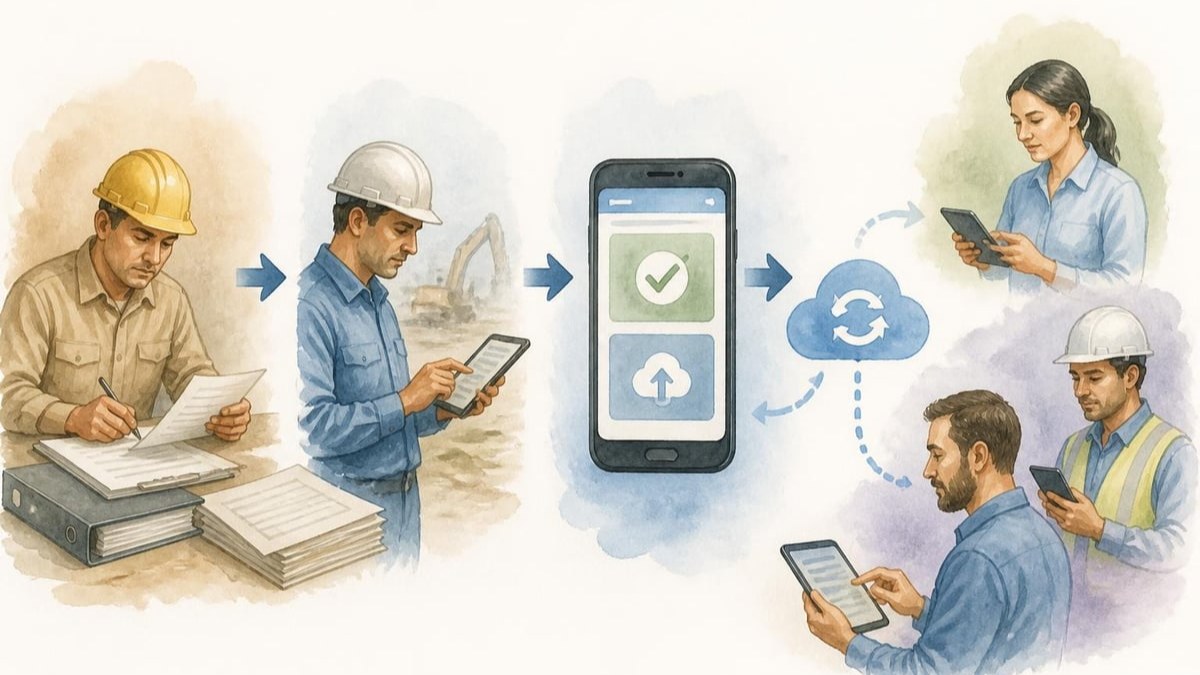
Understanding the modern app user has become essential for businesses delivering digital solutions in specialised industries. Whether you're an electrician managing compliance documentation or a professional relying on mobile platforms for daily operations, the way an app user interacts with your tools determines productivity, efficiency, and ultimately, business success. The digital transformation of traditionally paper-based processes demands platforms that align with real-world workflows, anticipate user needs, and deliver tangible value with every interaction.
The Evolution of the Professional App User
The professional app user in 2026 operates in a fundamentally different environment than their counterpart from just five years ago. Today's electricians, tradespeople, and compliance professionals expect seamless digital experiences that mirror the sophistication of consumer applications whilst addressing industry-specific requirements.
Modern app user behaviour reflects a shift towards mobile-first workflows. Rather than viewing mobile applications as supplements to desktop systems, professionals now rely on smartphones and tablets as primary tools for critical tasks. This transformation has been driven by improvements in mobile hardware, connectivity, and cloud infrastructure that enable robust functionality even in challenging field environments.
The expectations of an app user have evolved significantly:
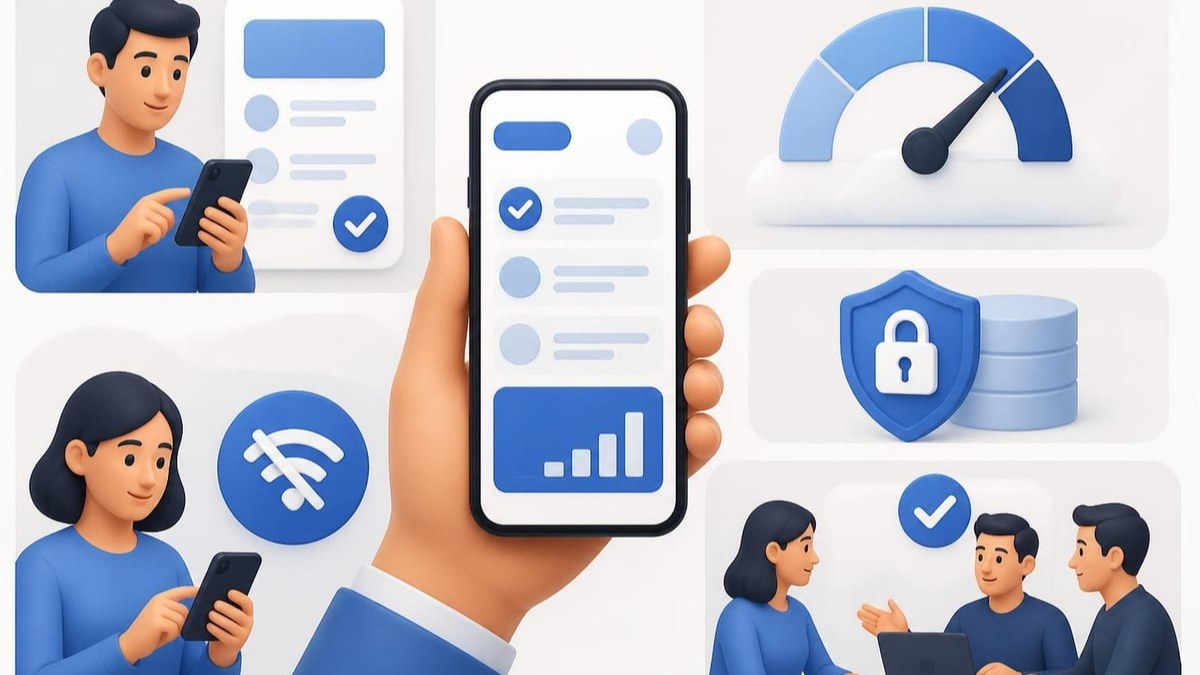
- Instant access to critical information without complex login procedures
- Offline functionality that maintains productivity during connectivity gaps
- Intuitive interfaces that require minimal training or technical knowledge
- Seamless synchronisation across devices and team members
- Robust security features that protect sensitive business data
Understanding these expectations is crucial for platforms serving compliance-heavy industries. An app user managing electrical Certificates of Compliance cannot afford system failures, data loss, or cumbersome processes that slow down job completion.
Measuring App User Engagement and Success
Quantifying how an app user interacts with your platform provides invaluable insights for improvement and optimisation. According to comprehensive application usage statistics, understanding engagement metrics helps businesses identify friction points and opportunities for enhancement.
Core Engagement Metrics
Daily Active Users (DAU) and Monthly Active Users (MAU) form the foundation of app user analytics. These metrics reveal not just how many people download an application, but how many find it valuable enough to use regularly. For compliance platforms, consistent daily usage indicates the tool has become integrated into professional workflows rather than remaining an occasional resource.
Session frequency and duration paint a more nuanced picture of app user behaviour. An electrician who opens a compliance platform multiple times per day demonstrates deep integration into their work process. Research on app engagement strategies highlights that frequency often matters more than individual session length for professional tools.
| Metric | Definition | Industry Benchmark |
|---|---|---|
| DAU/MAU Ratio | Percentage of monthly users active daily | 20-30% (Professional Apps) |
| Session Duration | Average time per app visit | 3-7 minutes (Task-focused) |
| Retention Rate (Day 30) | Users still active after 30 days | 15-25% |
| Feature Adoption | Percentage using key features | 40-60% |
The app user journey doesn't end with initial adoption. Retention metrics reveal whether your platform delivers sustained value. A high churn rate suggests the app user experience fails to meet ongoing needs or that competitors offer superior solutions.
Optimising the App User Experience
Creating an exceptional app user experience requires balancing functionality with simplicity. Professional users demand powerful features but cannot afford steep learning curves that interrupt billable work. The core app quality guidelines emphasise usability, accessibility, and visual appeal as fundamental pillars.
Interface Design Principles
The app user interface serves as the primary interaction point between professional and platform. Mobile app UI design best practices demonstrate that thoughtful design directly impacts retention and satisfaction.
Navigation must be intuitive and predictable. An electrician on-site shouldn't need to hunt through menus to capture test results or generate certificates. Critical functions should be accessible within two taps from the home screen. Consider implementing gesture-based controls for experienced users whilst maintaining button-based alternatives for those preferring traditional navigation.
Visual hierarchy guides the app user journey. Important information demands prominent placement, whilst secondary features recede into the background. Colour coding can communicate status at a glance, helping users quickly distinguish between draft documents, pending approvals, and completed compliance certificates.
Responsive design accommodates diverse devices. The same app user might work from a smartphone during site visits and switch to a tablet for detailed reviews. Layouts must adapt fluidly whilst maintaining consistency in functionality and data presentation.
Performance and Reliability
Nothing frustrates an app user more than sluggish performance or unexpected crashes. When professionals depend on digital tools for compliance documentation, reliability becomes non-negotiable. Processing delays exceeding two seconds trigger user frustration and consideration of alternatives.
Technical optimisation includes:
- Efficient data loading through lazy loading and caching strategies
- Background synchronisation that updates data without interrupting workflows
- Error handling with clear messaging and recovery options
- Resource management preventing battery drain during extended use
- Offline capability maintaining functionality regardless of connectivity
The App User in Compliance-Focused Industries
Electricians and compliance professionals represent a unique category of app user with specific requirements that differ from consumer applications. These users operate under regulatory frameworks demanding accuracy, traceability, and security. The platform supporting their work must align with SANS 10142-1 standards whilst simplifying rather than complicating compliance processes.
Unique Challenges and Requirements
The compliance-focused app user faces distinct pressures that shape their platform expectations. Time sensitivity is paramount, as delays in certificate generation can hold up project completion and payment. An efficient digital platform can reduce documentation time by up to 60% compared to manual methods, directly impacting profitability and client satisfaction.
Accuracy cannot be compromised. Unlike social media or entertainment apps where minor errors cause inconvenience, mistakes in compliance documentation carry legal and safety implications. Built-in validation checks, auto-populated fields, and standardised templates help the app user maintain precision whilst working quickly.
Auditability and record-keeping extend beyond immediate job completion. Certificates must remain accessible for years, organised in ways that facilitate retrieval during inspections or disputes. Cloud storage with robust search functionality ensures the app user can locate specific documents instantly, even from archives spanning multiple years.
Biometric security has become essential for protecting both the professional and their clients. Digital signatures require authentication that proves the app user's identity whilst preventing unauthorised access or document tampering. Advanced platforms now incorporate biometric signatures that meet legal requirements whilst streamlining approval workflows.
Energy Warehouse addresses these compliance-specific needs through a platform designed specifically for electrical professionals. By combining cloud-based storage, offline capability, and built-in SANS 10142-1 compliance checks, Energy Warehouse enables electricians to create, manage, and share Certificates of Compliance up to 60% faster than traditional manual methods. The platform's voice-to-text functionality, automated PDF generation, and digital signature capabilities transform the app user experience from administrative burden into competitive advantage.
Strategies for Increasing App User Retention
Acquiring an app user through downloads represents just the beginning of the relationship. Long-term success depends on retention strategies that keep professionals engaged beyond the initial trial period. Mobile app engagement strategies reveal that thoughtful retention approaches can double or triple long-term user bases.
Onboarding and Early Engagement
The first session shapes the app user's entire perception of your platform. A confusing or overwhelming initial experience drives abandonment before users discover core value. Effective onboarding balances education with immediate utility.
Progressive disclosure introduces features gradually rather than overwhelming new users with comprehensive tutorials. An electrician creating their first Certificate of Compliance should encounter only the essential steps, with advanced features revealed as their expertise grows. Contextual help messages appear when users access specific functions, providing guidance exactly when needed.
Quick wins build confidence and demonstrate value immediately. Rather than forcing users through lengthy setup processes, enable them to complete a meaningful task within their first session. Creating a simple draft certificate or exploring a template library provides tangible progress that encourages continued use.
Continuous Value Delivery
The app user must perceive ongoing benefits that justify continued engagement. Regular feature updates signal active development and responsiveness to user needs. However, updates should enhance rather than disrupt established workflows. Dramatic interface redesigns that force relearning can alienate experienced users who have developed muscle memory around existing layouts.
Personalisation adapts the platform to individual app user preferences and behaviour patterns. Frequently used templates should surface prominently. Common task sequences might be consolidated into single-tap shortcuts. The platform learns from each user's work patterns, becoming more efficient with continued use.
Collaborative features transform individual tools into team platforms. When multiple team members share a compliance platform, network effects increase retention. An electrician whose colleagues rely on shared job comments and document collaboration faces higher switching costs than a solo user. Exploring team collaboration capabilities reveals how shared workflows strengthen platform adoption.
Feedback Loops and Iteration
Successful platforms treat every app user as a source of improvement insights. Usage analytics reveal which features deliver value and which create confusion. Session recordings and heatmaps identify interface pain points invisible in aggregate statistics.
Direct feedback channels encourage users to share specific frustrations and feature requests. However, implementing every suggestion creates bloated, unfocused applications. The challenge lies in identifying patterns across app user feedback that reveal genuine needs versus individual preferences.
Security and Trust in the App User Relationship
Professional app users entrust platforms with sensitive business data, client information, and legally significant documents. This trust relationship demands robust security measures that protect without creating friction. A security breach doesn't just compromise data; it destroys the foundation of the app user relationship.
Authentication and Access Control
Modern authentication balances security with convenience. Multi-factor authentication provides strong protection whilst remaining quick enough for frequent daily logins. Biometric options like fingerprint or facial recognition offer the ideal combination, security experts widely agree.
Role-based access controls become critical when platforms support team collaboration. Not every app user requires full administrative privileges. Apprentices might access job information without certificate signing authority, whilst administrative staff handle client communications without technical editing capabilities.
Session management must account for real-world usage patterns. An electrician working continuously on-site shouldn't face repeated logouts, yet automatic session termination protects accounts on lost or stolen devices. Intelligent systems distinguish between active work sessions and abandoned devices.

The Future of App User Expectations
The app user of 2026 already demonstrates significantly evolved expectations compared to previous years, and this trajectory continues accelerating. Emerging technologies and interaction paradigms will reshape how professionals engage with compliance platforms over the coming years.
Artificial Intelligence Integration
AI capabilities increasingly augment the app user experience without replacing human expertise. Intelligent form completion predicts field values based on job context and historical patterns. An electrician starting a residential certificate finds address details, common circuit configurations, and typical test parameters pre-populated, requiring only verification rather than complete data entry.
Anomaly detection alerts the app user to unusual test results or potential errors before finalising documents. If entered values fall outside typical ranges for specific installation types, the system flags them for review. This doesn't override professional judgement but provides an additional safety layer that catches transcription errors or measurement mistakes.
Voice and Natural Language Processing
Voice-to-text functionality transforms data capture for app users working in challenging environments. Rather than removing gloves to type on small screens, electricians can dictate observations, test results, and notes whilst maintaining focus on technical work. Advanced natural language processing translates conversational speech into structured data fields, understanding context and intent.
Cross-Platform Ecosystems
The modern app user expects seamless transitions between devices and form factors. Work initiated on a smartphone during site visits continues on tablets for detailed review and finalises on desktop computers for client presentations. Cloud synchronisation makes this possible, but true excellence requires adaptive interfaces that optimise for each context whilst maintaining consistent functionality.
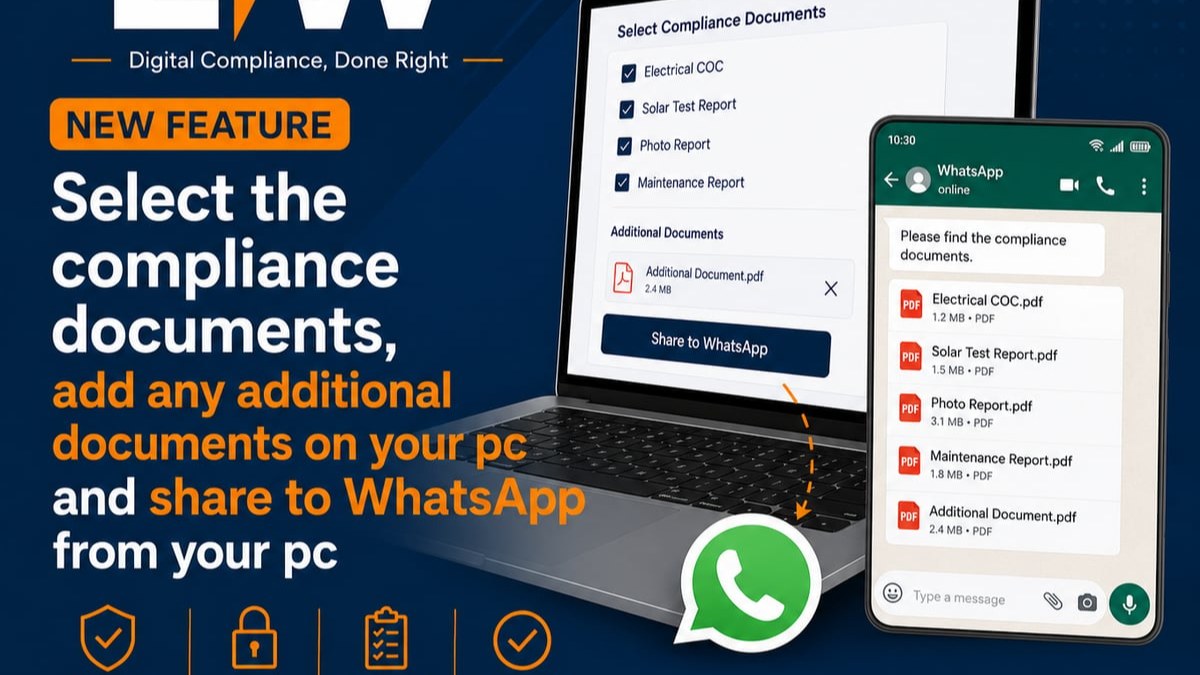
Integration with complementary tools expands platform value beyond core functions. Calendar integration schedules inspections and compliance deadlines. Communication tools share certificates directly through preferred channels. Financial systems track job costs and generate invoices from completion data. The app user benefits from a cohesive ecosystem rather than juggling disconnected applications.
Analysing App User Behaviour Patterns
Understanding why an app user engages or disengages with your platform requires systematic behaviour analysis. Research on predicting mobile app engagement demonstrates that user characteristics and temporal features provide powerful predictive signals for retention and satisfaction.
Segmentation and Personas
Not all app users are created equal. Segmentation reveals distinct usage patterns that inform targeted improvements. Solo electricians demonstrate different needs than large electrical contracting firms managing multiple teams. Residential specialists require different templates and workflows than industrial or commercial installers.
Creating detailed personas helps platform developers empathise with specific app user categories:
The Field-Focused Technician spends 80% of working hours on-site, values mobile functionality above all else, requires offline capability, and prioritises speed over comprehensive features. Interface design for this persona emphasises large touch targets, minimal text entry, and voice input options.
The Business Owner balances technical work with administrative responsibilities, needs comprehensive reporting and team management tools, values client communication features, and requires financial tracking integration. This app user appreciates advanced capabilities that justify slightly increased interface complexity.
The Compliance Specialist focuses exclusively on documentation accuracy, demands detailed audit trails and version control, requires template customisation for various installation types, and values regulatory update notifications. Interface design prioritises precision over speed.
Temporal Patterns and Predictive Engagement
App user behaviour follows predictable temporal patterns that savvy platforms can leverage. Most electricians complete certificates immediately after job completion, creating predictable usage spikes aligned with working hours. Weekend activity drops sharply except for emergency service providers. Month-end sees increased activity as professionals finalise documentation for invoicing.
Identifying deviation from established patterns enables proactive engagement. An app user who typically logs in daily but hasn't accessed the platform for a week might be experiencing issues, exploring alternatives, or simply between jobs. Automated check-ins offering assistance can prevent permanent churn whilst demonstrating attentiveness to user success.
Optimising for the Multi-Device App User
The contemporary app user rarely limits themselves to a single device. A typical compliance workflow might begin with on-site data capture on a smartphone, continue with detailed review on a tablet during the commute, and conclude with client communication from a desktop computer. Platforms must accommodate this reality through thoughtful multi-device optimisation.
Responsive Design Considerations
Responsive design extends beyond simply reflowing layouts for different screen sizes. True multi-device excellence considers the context and capabilities unique to each platform. Touchscreen interfaces demand different interaction patterns than mouse-driven desktops. Mobile cameras enable on-site photography and barcode scanning unavailable to desktop users.
Data synchronisation must be instantaneous and conflict-free. When an app user edits a certificate on their tablet whilst a team member simultaneously adds notes on a smartphone, the platform must merge changes intelligently without data loss or corruption. Real-time collaboration features that work seamlessly across devices transform platforms from individual tools into team enablers.
Platform-Specific Features
Rather than treating all devices identically, sophisticated platforms leverage unique capabilities. Mobile devices offer GPS for automatic location tagging, accelerometers for orientation detection, and push notifications for immediate alerts. Desktop environments provide multiple monitors for comparative document review, keyboard shortcuts for power users, and processing capability for batch operations.
An electrician using their smartphone on-site benefits from automatic photograph attachment to job records. Switching to a desktop computer reveals advanced reporting tools that would overcomplicate the mobile interface. The app user enjoys optimised experiences without learning separate applications or managing manual data transfers.
The modern app user represents far more than a download statistic or engagement metric. They're professionals whose livelihoods depend on tools that enhance rather than hinder their work. By understanding user behaviour patterns, optimising for real-world workflows, and continuously delivering value, platforms transform from necessary utilities into competitive advantages. Energy Warehouse empowers electricians to streamline compliance processes through intelligent features that align with how professionals actually work, reducing documentation time whilst improving accuracy and client satisfaction.