
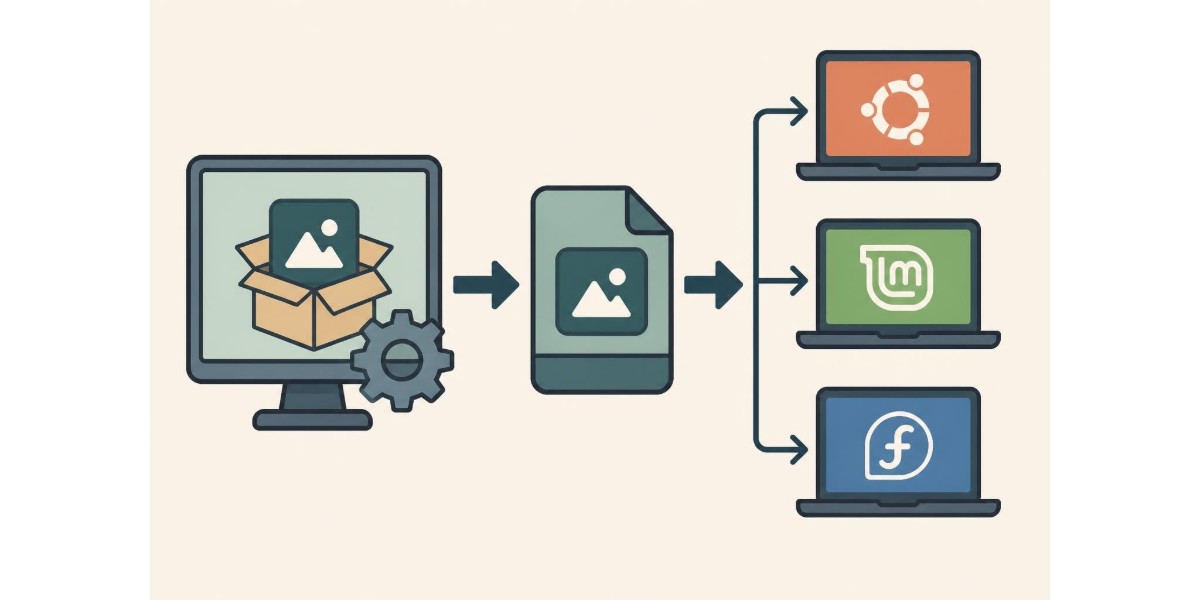
Software distribution on Linux has traditionally presented challenges for developers and users alike. Different distributions require different packaging formats, creating fragmentation that complicates deployment. AppImages emerged as a solution to this problem, offering a universal format that runs across multiple Linux distributions without installation or root permissions. For professionals seeking streamlined digital workflows, understanding modern software distribution methods becomes increasingly relevant as cloud-based platforms and mobile applications reshape how we work.
Understanding the AppImage Format
AppImages represent a paradigm shift in Linux software distribution. Unlike traditional package managers that require installation and system integration, appimages function as self-contained executable files. Each AppImage bundles an application with all its dependencies into a single file that users can download and run immediately.
The AppImage format operates on the principle of "one app equals one file." This approach eliminates dependency conflicts and version mismatches that plague conventional installation methods. When you download an appimage, you receive everything needed to run the software without modifying your system.
Core Architecture and Structure
The technical foundation of appimages rests on several key components. At their core, these files contain an AppDir directory structure compressed into a single executable. The AppDir format defines how applications, libraries, and resources are organized within the package.
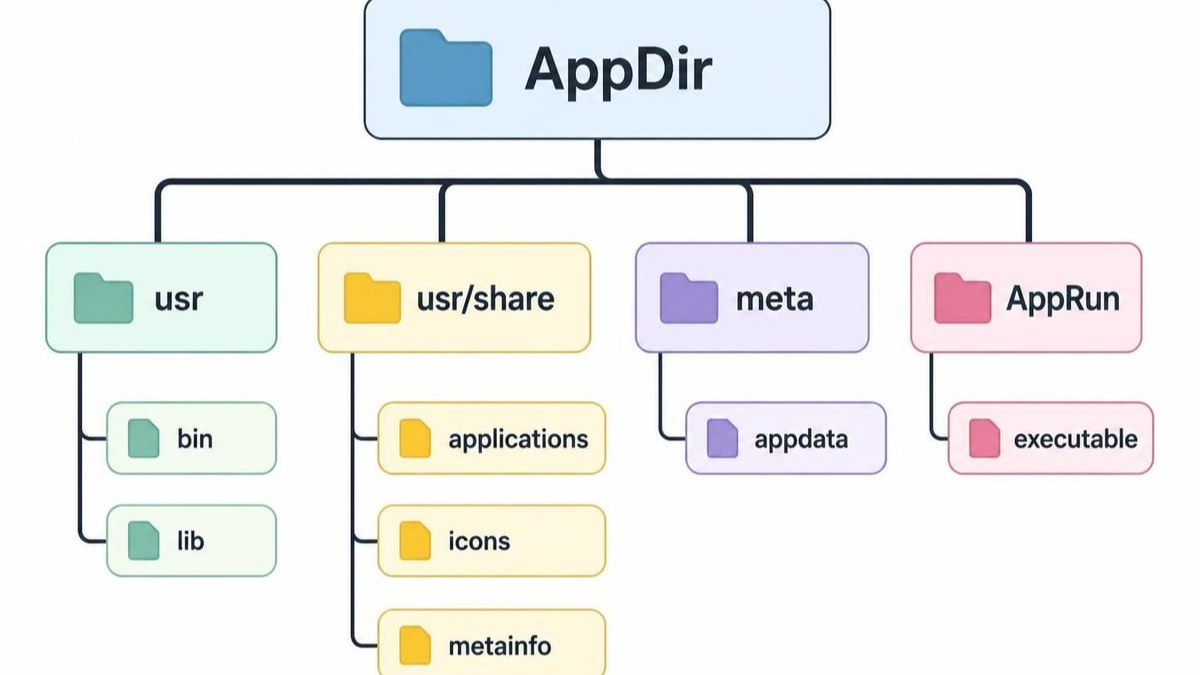
AppImages utilize FUSE (Filesystem in Userspace) technology to mount themselves as temporary filesystems when executed. This elegant solution allows the bundled application to access its resources without extraction or installation. The mounting process occurs transparently, requiring no user intervention beyond making the file executable.
Key architectural features include:
- Self-mounting capability through embedded filesystem images
- Backwards compatibility with older Linux distributions
- Runtime environment that bridges application and system
- Digital signatures for verification and security
- Desktop integration through optional mechanisms
Advantages for Software Distribution
AppImages offer compelling benefits for both developers and end users. The distribution model solves persistent problems in the Linux ecosystem whilst maintaining simplicity and user control.
Portability Across Distributions
One appimage runs on virtually any Linux distribution released in the past several years. Developers no longer need to create separate packages for Ubuntu, Fedora, openSUSE, and dozens of other distributions. This universal compatibility stems from bundling dependencies rather than relying on system libraries.
The Pop!_OS documentation demonstrates how straightforward deployment becomes with this format. Users download a file, mark it executable, and run it. No package manager commands, no repository configuration, no dependency resolution.
| Traditional Packages | AppImages |
|---|---|
| Distribution-specific | Universal compatibility |
| Requires root access | User-level execution |
| System integration mandatory | Optional integration |
| Dependency management complex | Dependencies bundled |
| Multiple packages per app | Single file per app |
Security and Isolation Benefits
AppImages provide inherent security advantages through their execution model. Because they don't require installation or root privileges, the attack surface remains minimal. Applications run within their bundled environment, reducing the risk of system-wide compromise.
However, this isolation cuts both ways. AppImages cannot access system resources as freely as installed applications. For professionals managing sensitive compliance documentation, this separation offers an additional security layer. The Fedora Project perspective on appimages highlights both security benefits and considerations for enterprise deployment.
Creating and Packaging Applications
Developers seeking to distribute software through appimages must follow specific guidelines and best practices. The packaging process requires understanding both the technical requirements and design considerations.
Building AppImages from Source
The creation process begins with assembling an AppDir structure containing your application and dependencies. The AppImage specification defines the required components and layout standards.
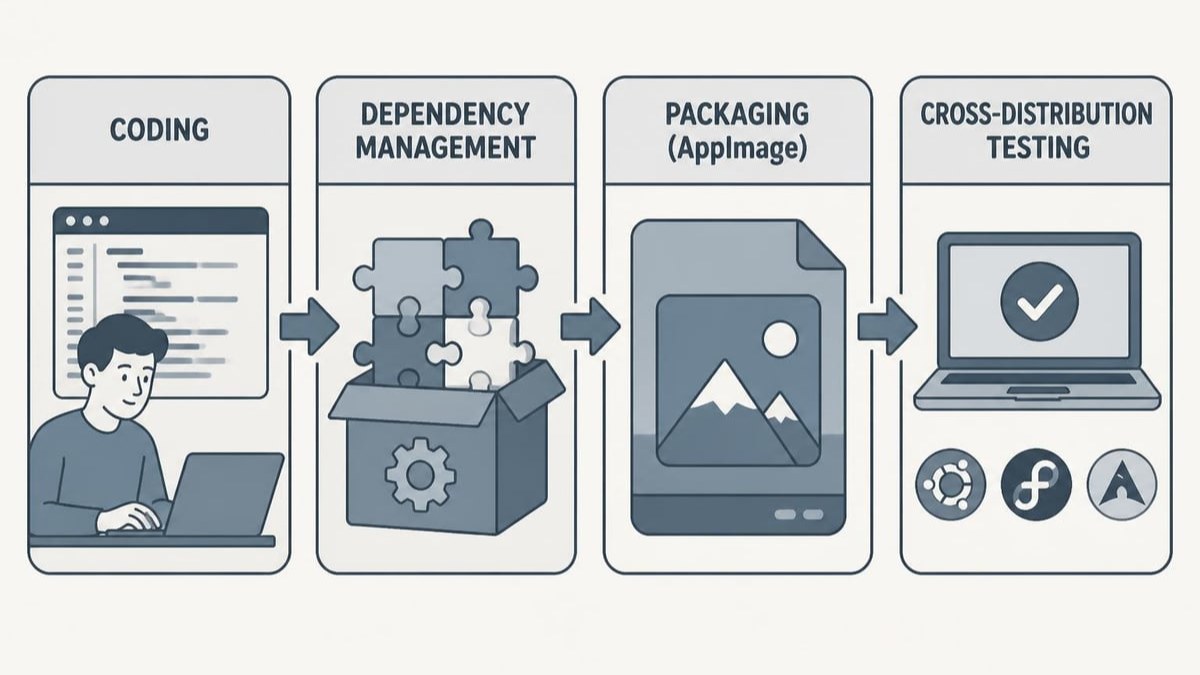
Essential steps for creating appimages:
- Compile your application for the target architecture
- Gather all runtime dependencies including libraries
- Create the AppDir structure following specification guidelines
- Add required metadata including desktop files and icons
- Generate the AppImage using packaging tools
- Test across distributions to verify compatibility
Tools like appimagetool automate much of this process. For Electron applications, electron-builder provides integrated AppImage generation alongside other packaging formats. This integration streamlines workflows for developers building cross-platform applications.
Best Practices for AppImage Development
Following established guidelines ensures your appimages work reliably across environments. The best practices documentation provides comprehensive recommendations for developers.
Design applications with AppImage distribution in mind from the outset. Avoid hard-coded paths that assume system installation locations. Use relative paths and environment variables to locate resources. This flexibility allows your application to run from any location without modification.
Consider the user experience when bundling dependencies. While including everything ensures compatibility, it also increases file size. Strike a balance between completeness and efficiency. Leverage AppImage update mechanisms to deliver patches without requiring full re-downloads.
Implementation Considerations for Business Applications
Organisations deploying custom software face unique requirements when adopting appimages. Business applications often need integration with existing infrastructure whilst maintaining security and compliance standards.
Enterprise Deployment Scenarios
AppImages suit specific enterprise use cases particularly well. Field applications that technicians run on various systems benefit from the universal compatibility. Software that requires specific library versions can bundle those dependencies without conflicting with system packages.
For electrical compliance professionals, mobile field applications represent a prime AppImage candidate. When electricians need specialised tools on-site, appimages eliminate installation complexity on service laptops. The format's portability means applications run consistently regardless of the underlying distribution.
Digital signature capabilities within appimages support compliance requirements. Organisations can cryptographically sign their packages, ensuring users receive authentic, unmodified software. This verification process aligns with quality assurance protocols essential in regulated industries.
Integration with Cloud Platforms
Modern business applications increasingly rely on cloud backends for data synchronisation and collaboration. AppImages work seamlessly with this architecture, functioning as the local client whilst communicating with cloud services.
Cloud-based compliance platforms benefit from distributing client applications as appimages. Electricians can download a single file that provides full platform access without complex installation procedures. Updates deploy by simply replacing the AppImage file, maintaining simplicity whilst ensuring users access current features. Energy Warehouse demonstrates how cloud platforms streamline compliance workflows through features like biometric signatures and real-time collaboration, making cloud-based compliance software essential for modern electrical businesses.

| Deployment Method | Setup Time | Update Process | System Impact |
|---|---|---|---|
| Traditional Package | 15-30 minutes | Package manager | High |
| AppImage | 2-5 minutes | File replacement | Minimal |
| Web Application | Immediate | Automatic | None |
| Container | 10-20 minutes | Image pull | Medium |
Technical Architecture Deep Dive
Understanding how appimages function internally helps developers optimize their implementations and troubleshoot issues. The architecture documentation provides detailed insights into the execution model.
Runtime Environment and Execution
When users launch an appimage, several processes occur automatically. The file mounts itself using FUSE, creating a temporary filesystem accessible only to that application instance. The embedded runtime then locates and executes the main application binary within this mounted environment.
This runtime handles compatibility between different system configurations. It manages library loading, ensures proper environment variables, and facilitates desktop integration when requested. The Wikipedia overview traces the evolution of these mechanisms through different AppImage versions.
Environment variables play a crucial role in AppImage operation. The runtime sets specific variables that applications can query to determine they're running from an AppImage. This awareness allows applications to adjust behaviour, such as modifying update mechanisms or resource locations.
Python Applications and AppImages
Python applications present unique packaging considerations. The AppImage internals for Python explains both manual packaging approaches and automated solutions through the appimage.build module.
Python AppImage requirements include:
- Complete Python interpreter bundled with the application
- All pip packages and dependencies included
- Proper handling of compiled extensions
- Virtual environment integration
- Resource file accessibility
Python's flexibility makes it popular for business applications, including compliance management tools and field service applications. Packaging Python applications as appimages ensures consistent Python versions across deployment environments, eliminating "it works on my machine" scenarios.
Distribution and User Experience
Delivering appimages to end users requires consideration of discovery, download, and execution workflows. The user experience should remain straightforward whilst providing necessary information and security assurances.
Making AppImages User-Friendly
First-time users may not understand the AppImage execution model. Clear documentation accompanying your distribution helps users navigate the simple but unfamiliar process. Explain that making the file executable is required before first launch.
**Quick Start Guide:**
1. Download the .AppImage file
2. Right-click and select Properties
3. Enable "Allow executing file as program"
4. Double-click to launch
Desktop integration enhances the user experience by adding menu entries and file associations. Whilst optional, these integrations make appimages feel more like traditionally installed applications. The AppImageLauncher utility can automate this process for users who regularly use appimages.
Update Mechanisms and Versioning
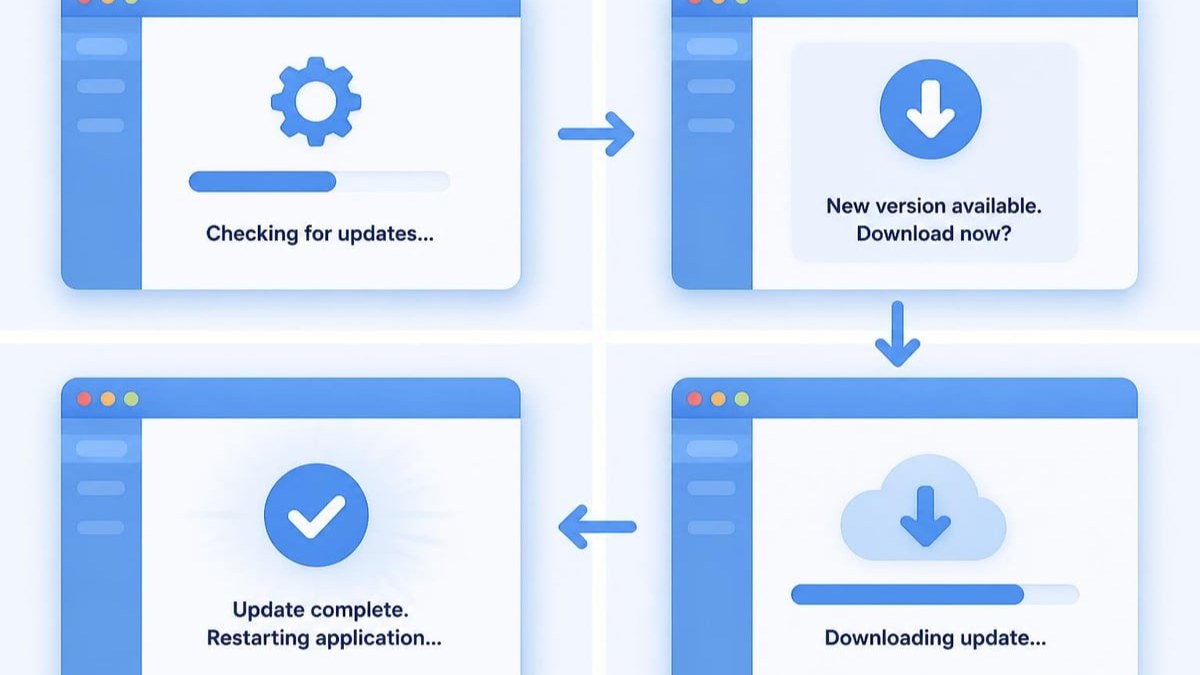
AppImages support integrated update checking and downloading. Applications can query for newer versions and guide users through updates. This mechanism maintains the simplicity of the AppImage model whilst ensuring users benefit from improvements and security patches.
Version numbering in AppImage filenames helps users identify which release they've downloaded. Include the version number prominently: YourApp-2.5.1-x86_64.AppImage. This clarity prevents confusion when multiple versions exist in download folders.
Comparing Distribution Formats
AppImages exist within a broader ecosystem of Linux software distribution methods. Understanding when appimages represent the optimal choice requires comparing alternatives.
AppImage vs Snap vs Flatpak
Three universal packaging formats compete in the Linux space: AppImages, Snap packages, and Flatpak. Each offers cross-distribution compatibility but differs in philosophy and implementation.
| Feature | AppImage | Snap | Flatpak |
|---|---|---|---|
| Installation required | No | Yes | Yes |
| Root access needed | No | Yes (initial) | Yes (initial) |
| Sandboxing | Optional | Default | Default |
| Distribution method | Direct download | Central store | Multiple repos |
| Offline operation | Full support | Limited | Limited |
| File size | Medium | Large | Large |
Snaps and Flatpaks emphasize sandboxing and centralized distribution through software stores. AppImages prioritize simplicity and user control through direct distribution. For business applications with custom deployment channels, appimages often prove more flexible.
When to Choose AppImages
Certain scenarios particularly favour the AppImage approach. Applications that users download directly from vendor websites benefit from the simplicity. Software that needs to run on older distributions leverages the backwards compatibility.
Field service applications represent an ideal AppImage use case. Technicians working on various customer systems need applications that run reliably without installation. When managing electrical team collaboration, portable applications simplify deployment across diverse environments.
Commercial software distribution benefits from AppImages when vendors want direct customer relationships rather than app store mediation. The format supports licensing mechanisms and doesn't require submission to third-party repositories.
Future Developments and Ecosystem
The AppImage ecosystem continues evolving as developers refine tools and expand capabilities. Understanding upcoming developments helps organisations plan long-term software distribution strategies.
Community and Tool Development
Active community development drives AppImage improvements. Tools for creating, managing, and updating appimages grow more sophisticated. Integration with continuous integration systems allows automated AppImage generation as part of build pipelines.
The specification itself receives periodic updates addressing security concerns and expanding capabilities. Whilst maintaining backwards compatibility, new AppImage versions introduce features like improved compression and enhanced metadata support.
Integration with Modern Workflows
DevOps practices increasingly incorporate AppImage generation into deployment pipelines. Automated builds can produce appimages alongside traditional packages and container images, supporting multiple distribution channels from single source code.
This automation aligns with modern software development practices emphasising continuous delivery. Teams using application signing technologies for compliance can extend those practices to AppImage verification, ensuring end-to-end security from development through deployment.
Cloud-native architectures complement AppImage distribution. Whilst backend services run in containers or serverless environments, client applications distributed as appimages provide consistent user experiences. This hybrid approach combines the benefits of cloud scalability with local application performance.
AppImages offer a practical solution for software distribution challenges in the Linux ecosystem, combining portability with simplicity through self-contained executable packages. For electrical professionals and compliance specialists, understanding modern software distribution methods enhances your ability to leverage digital tools effectively. Energy Warehouse provides cloud-based compliance management that works seamlessly across platforms, streamlining your Certificate of Compliance workflows with digital efficiency. Discover how our platform can transform your compliance processes today.