
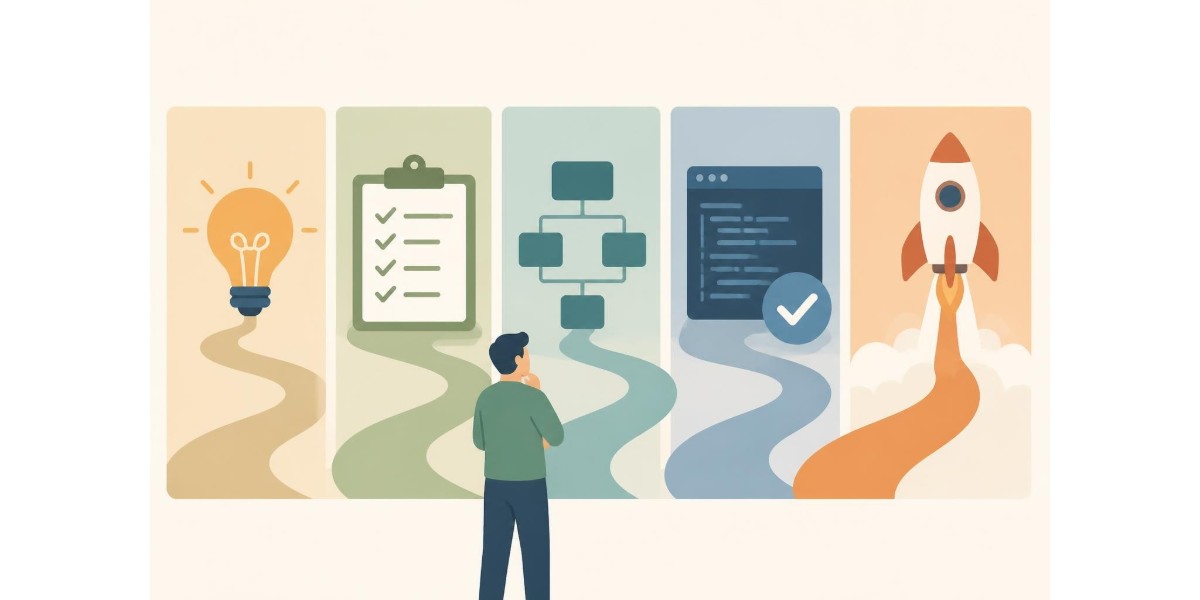
Choosing the right application to make is one of the most critical decisions facing businesses today. Whether you're streamlining internal processes, serving customers more efficiently, or creating entirely new revenue streams, the application you build will shape your competitive advantage for years to come. For electricians and compliance professionals, a well-designed digital platform can transform how you manage certificates, collaborate with teams, and serve clients. Understanding the full scope of application development-from initial planning through deployment and maintenance-ensures you invest resources wisely and deliver real value.
Understanding Your Application Requirements
Before writing a single line of code, successful teams invest substantial effort in requirements gathering. This phase determines what problem your application to make will solve, who will use it, and what success looks like.
Defining the Problem Space
Start by articulating the specific pain points your application will address. For compliance-focused businesses, these might include:
- Manual paperwork consuming hours of billable time
- Inconsistent documentation leading to compliance failures
- Difficulty tracking and sharing certificates across teams
- Lost productivity due to disconnected tools and workflows
Document these challenges with measurable metrics. How much time does each task currently require? What percentage of work involves rework or corrections? These baselines will guide design decisions and prove return on investment later.
Identifying Core Features
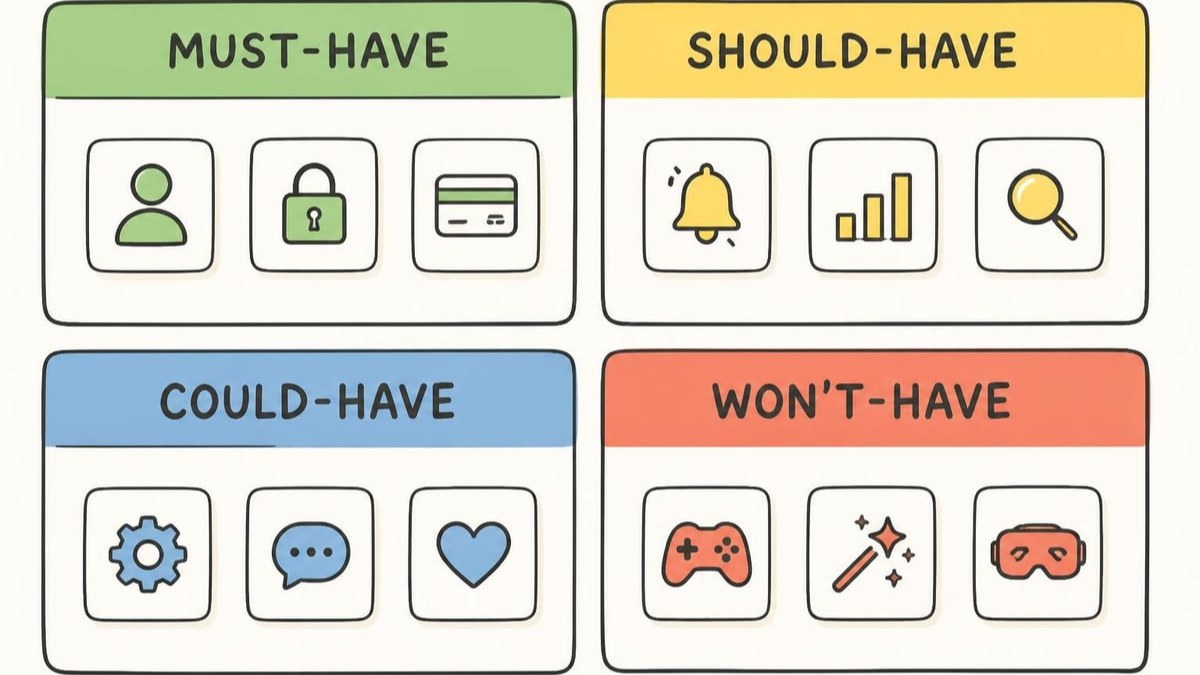
Not every feature belongs in version one. Distinguish between essential capabilities and nice-to-have enhancements. Essential features directly solve your primary problem, whilst enhancements improve user experience or efficiency incrementally.
| Feature Category | Priority | Development Phase |
|---|---|---|
| Core compliance tools | Critical | Version 1.0 |
| Cloud synchronisation | Critical | Version 1.0 |
| Mobile access | High | Version 1.0 |
| Advanced reporting | Medium | Version 1.5 |
| AI-powered insights | Low | Version 2.0 |
When building a step-by-step application development process, prioritisation ensures you launch quickly whilst maintaining quality. Teams that try to include everything in the first release often deliver nothing on time.
Choosing Your Technology Stack
The technology decisions you make early in development will impact maintenance costs, scalability, and talent requirements for the life of your application.
Platform Considerations
Will your application to make run on web browsers, mobile devices, or both? Each platform brings distinct advantages:
Web applications offer universal access through browsers, eliminating installation barriers and simplifying updates. Users access the latest version automatically, and you maintain a single codebase for all desktop operating systems.
Native mobile applications provide better performance, offline capability, and access to device features like cameras and biometric sensors. However, they require separate development for iOS and Android, increasing costs.
Progressive web apps (PWAs) bridge these worlds, combining web accessibility with mobile-like features including offline functionality and home screen installation. For field professionals working in areas with unreliable connectivity, this hybrid approach often delivers the best user experience.
Architecture Patterns
Modern applications rarely exist as monolithic programs. Instead, emerging trends in software architecture favour modular designs that separate concerns and enable independent scaling.
Consider these architectural approaches:
- Microservices: Breaking functionality into small, independent services
- Serverless: Executing code on-demand without managing infrastructure
- API-first: Designing robust interfaces before implementing features
- Event-driven: Responding to system events rather than constant polling
Energy Warehouse exemplifies these principles through its cloud-based architecture. The platform enables electricians to manage and share digital Certificates of Compliance up to 60% faster than manual methods, with features working seamlessly across web and mobile interfaces.
Security and Compliance From Day One
Building security into your application to make from the earliest design phases costs far less than retrofitting protection after launch. Secure by Design principles should guide every architectural decision.
Data Protection Fundamentals
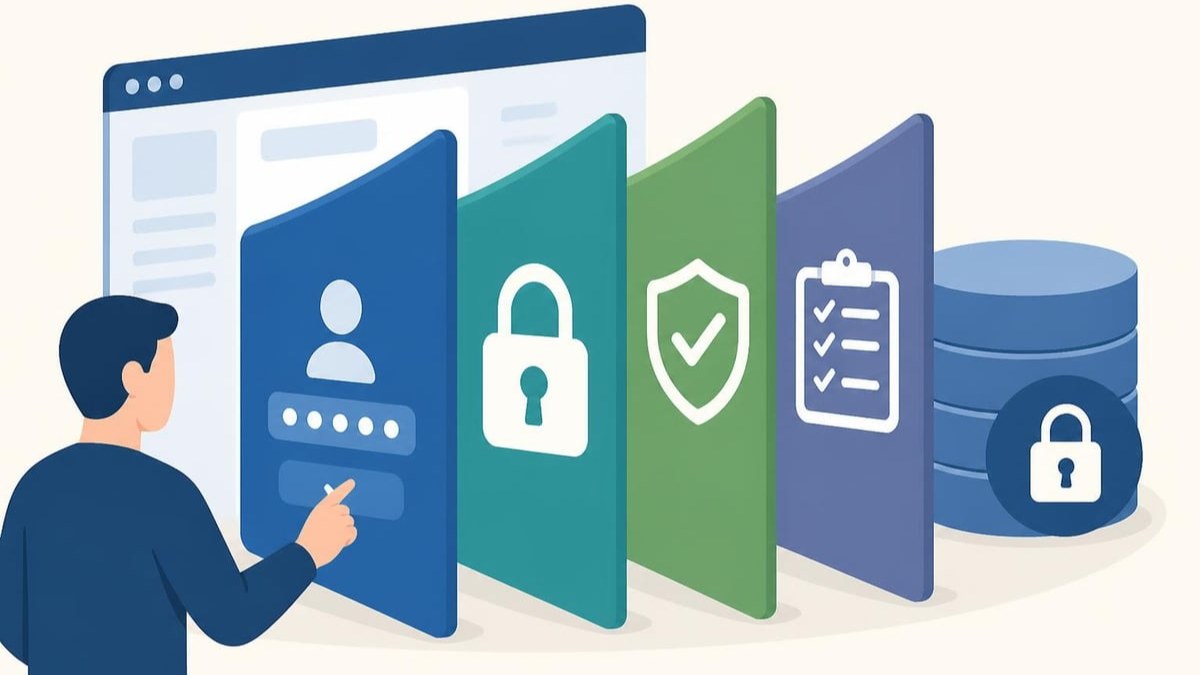
Start by classifying the data your application will handle. Personal information, financial records, and compliance documents each require specific protections:
- Encryption at rest: Protecting stored data from unauthorized access
- Encryption in transit: Securing data moving between devices and servers
- Access controls: Ensuring only authorized users view sensitive information
- Audit logging: Recording who accessed what data and when
For electricians handling client information and compliance certificates, these protections aren't optional-they're regulatory requirements. Platforms must demonstrate POPIA compliance and industry-standard security measures.
Authentication and Authorization
How will users prove their identity? Traditional passwords remain common but introduce security risks through weak choices and credential reuse. Modern applications implement stronger alternatives:
- Biometric authentication: Fingerprint or facial recognition
- Multi-factor authentication: Combining passwords with one-time codes
- Single sign-on: Leveraging existing corporate identity systems
- Certificate-based authentication: Using digital certificates for verification
Digital signatures for compliance documents demand particular attention. Biometric signatures provide legally defensible proof of authorization whilst preventing fraud.
Building a Security Program
Establishing a modern application security program requires integrating security practices throughout development. This includes threat modelling during design, secure coding standards, automated vulnerability scanning, and penetration testing before release.
Development and Testing Practices
Once requirements and architecture are defined, development teams begin building the application to make. Modern practices emphasize quality, collaboration, and continuous improvement.
Agile Development Methodology
Rather than planning everything upfront and building for months in isolation, agile teams work in short iterations called sprints. Each sprint delivers working functionality that stakeholders can review and validate.
Benefits include:
- Earlier detection of design problems
- Regular opportunities for course correction
- Continuous delivery of business value
- Better team communication and morale
For developing applications effectively, sprints typically run one to three weeks. Teams plan work, develop features, test thoroughly, and demonstrate results before starting the next iteration.
Quality Assurance Strategy
Testing shouldn't wait until development finishes. Instead, integrate quality checks throughout the process:
| Testing Type | Purpose | When Performed |
|---|---|---|
| Unit tests | Verify individual functions | During development |
| Integration tests | Confirm modules work together | After feature completion |
| System tests | Validate entire application | Before release |
| User acceptance | Ensure business requirements met | Prior to deployment |
| Regression tests | Prevent new bugs in existing features | Continuously |
Automated testing catches problems faster and more reliably than manual checks. Research software quality guidelines emphasize comprehensive test coverage, continuous integration, and disciplined version control as essential practices.
User Experience and Interface Design
The best application to make delivers powerful functionality through an intuitive interface that requires minimal training. User experience (UX) and user interface (UI) design transform complex capabilities into accessible tools.
Design Principles for Professional Tools
Applications serving professionals in the field face unique constraints. Users often work outdoors, wear gloves, face bright sunlight, and need quick access to specific functions. Design accordingly:
- Large touch targets: Accommodate fingers instead of precise mouse pointers
- High contrast: Ensure readability in varied lighting conditions
- Minimal steps: Reduce clicks between common actions
- Clear hierarchy: Guide users to primary functions immediately
- Forgiving inputs: Accept varied data formats without errors
Voice-to-text capability exemplifies thoughtful professional tool design. When users cannot type easily, speaking information accelerates data entry whilst maintaining accuracy.
Mobile-First Considerations
For field workers, mobile devices are primary tools rather than secondary screens. Design for mobile constraints first, then enhance for larger displays:
- Optimize for one-handed operation
- Minimize data transfer for limited connectivity
- Cache essential information locally
- Provide offline functionality for core features
- Synchronize automatically when connection returns
When electricians work in basements, rural areas, or buildings with poor signal, offline capability keeps productivity high. The application should detect connectivity loss, switch modes seamlessly, and sync work once connection restores.
Deployment and Infrastructure
Launching your application to make requires careful planning around hosting, scaling, monitoring, and maintenance. Cloud platforms have transformed these operations from major capital investments to flexible operational expenses.
Cloud Hosting Options
Three primary cloud service models offer different trade-offs between control and convenience:
Infrastructure as a Service (IaaS) provides virtual machines, storage, and networking. You manage operating systems, middleware, and applications whilst the provider maintains physical hardware.
Platform as a Service (PaaS) abstracts infrastructure entirely. You deploy application code whilst the platform handles servers, scaling, and updates automatically.
Software as a Service (SaaS) delivers complete applications to end users. Providers manage everything from infrastructure through application features.
For most custom applications, PaaS strikes the optimal balance. Teams focus on business logic rather than server administration, whilst retaining control over application behaviour and data.
Scaling Strategies
How will your application handle growth? Scaling encompasses several dimensions:
- User capacity: Supporting more concurrent users
- Data volume: Managing growing databases efficiently
- Geographic distribution: Serving users in multiple regions
- Feature complexity: Adding capabilities without degradation
Horizontal scaling (adding more servers) typically proves more cost-effective than vertical scaling (upgrading to more powerful machines). Cloud platforms enable automatic scaling based on demand, ensuring performance during peaks whilst controlling costs during quiet periods.
Monitoring and Maintenance
Deployment isn't the finish line-it's the starting line for continuous improvement. Monitoring tools track application health, user behaviour, and performance metrics:
- Response times and error rates
- Active user counts and session durations
- Feature usage patterns and workflows
- Resource consumption and costs
- Security events and anomalies
These insights inform optimization priorities and feature roadmaps. Teams that monitor actively identify problems before users report them and allocate development resources based on actual usage rather than assumptions.
Collaboration and Workflow Integration
The application to make should enhance rather than disrupt existing workflows. Integration with tools teams already use multiplies productivity benefits.
Team Communication Features
Built-in collaboration reduces reliance on external communication channels. Features might include:
- In-context comments on specific work items
- File sharing and document storage
- Activity notifications and updates
- Role-based permissions and visibility
- Audit trails for accountability
When teams can discuss work directly within the application where context resides, information remains organized and accessible. This proves particularly valuable for compliance work where documentation and communication history matter.
Electricians collaborating on large projects benefit from team collaboration features that keep all communication, images, and documentation in one secure location rather than scattered across messaging apps.
External System Integration
Rarely does any application exist in isolation. APIs enable connections to:
- Accounting and invoicing systems
- Customer relationship management (CRM) platforms
- Document management and storage services
- Communication tools like email and messaging
- Industry-specific databases and registries
Well-designed APIs follow consistent patterns, provide comprehensive documentation, and handle errors gracefully. When building integrations, prioritise the most common workflows first whilst architecting flexibility for future connections.
Sustainability and Long-Term Viability
An application to make represents significant investment. Ensuring long-term viability requires attention to maintainability, sustainability, and evolution.
Code Quality and Documentation
Future developers-perhaps including yourself months later-will maintain your application. Write code for readability:
- Use clear, descriptive names for variables and functions
- Comment complex logic explaining why, not just what
- Follow consistent style conventions throughout
- Break large functions into smaller, focused pieces
- Eliminate duplication through reusable components
Comprehensive documentation proves equally critical. Document architecture decisions, API specifications, deployment procedures, and troubleshooting guides. Research on building quality software emphasizes that documentation quality directly impacts long-term project success.
Environmental and Resource Considerations
Integrating sustainability into software architecture addresses both environmental impact and operational efficiency. Applications that minimize resource consumption reduce costs whilst supporting broader sustainability goals:
- Optimize database queries to reduce processing
- Compress data transfers to save bandwidth
- Cache frequently accessed information
- Remove unused features and dependencies
- Schedule intensive operations during off-peak hours
For mobile applications, energy-efficient code extends device battery life-a practical benefit users notice immediately.
Planning for Evolution
Requirements change. Technologies advance. User expectations grow. Design flexibility into your architecture:
- Modular design allowing component replacement
- Versioned APIs maintaining backwards compatibility
- Feature flags enabling gradual rollouts
- Database schemas supporting migration
- Comprehensive test suites enabling confident refactoring
The application you build today should accommodate tomorrow's needs without requiring complete rebuilds. This extensibility protects your investment and accelerates future enhancements.
Measuring Success and Iteration
Launch marks the beginning of learning what works and what needs improvement. Define success metrics aligned with original objectives.
Key Performance Indicators
Track metrics that matter to your business:
| Metric Category | Example Indicators |
|---|---|
| User adoption | Active users, session frequency, retention rate |
| Efficiency gains | Time saved, tasks completed, error reduction |
| Financial impact | Revenue generated, costs reduced, ROI percentage |
| User satisfaction | Net Promoter Score, support tickets, feature requests |
| Technical health | Uptime, response time, error rate, security incidents |
For compliance applications, reduction in time to complete certificates, decrease in compliance failures, and improvement in documentation accuracy provide concrete value measurements.
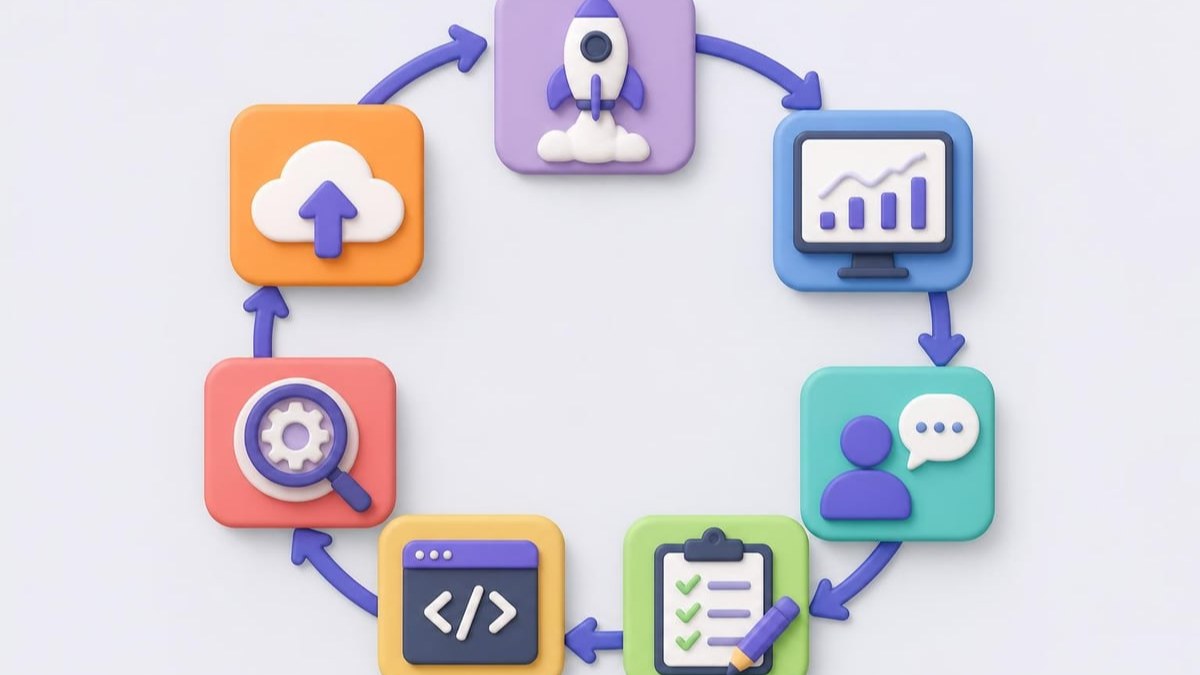
Continuous Improvement Cycle
User feedback drives iterative enhancement. Establish channels for collecting input:
- In-app feedback forms
- User interviews and observation
- Support ticket analysis
- Usage analytics and behaviour tracking
- A/B testing of design alternatives
Prioritise improvements based on impact and effort. Quick wins build momentum whilst major enhancements address fundamental limitations. Regular release cadences keep users engaged and demonstrate ongoing commitment to their success.
The application to make evolves through disciplined iteration, transforming from minimum viable product to comprehensive solution that anticipates user needs.
Building the right application to make requires balancing technical excellence with practical business needs, security with usability, and current requirements with future flexibility. By following structured development processes, implementing security from day one, and focusing relentlessly on user value, businesses create digital tools that transform operations and deliver lasting competitive advantage. Energy Warehouse demonstrates these principles in action, providing electricians with a comprehensive digital platform that streamlines compliance, eliminates paperwork, and accelerates every aspect of certificate management-proving that thoughtfully designed applications truly transform how professionals work.