
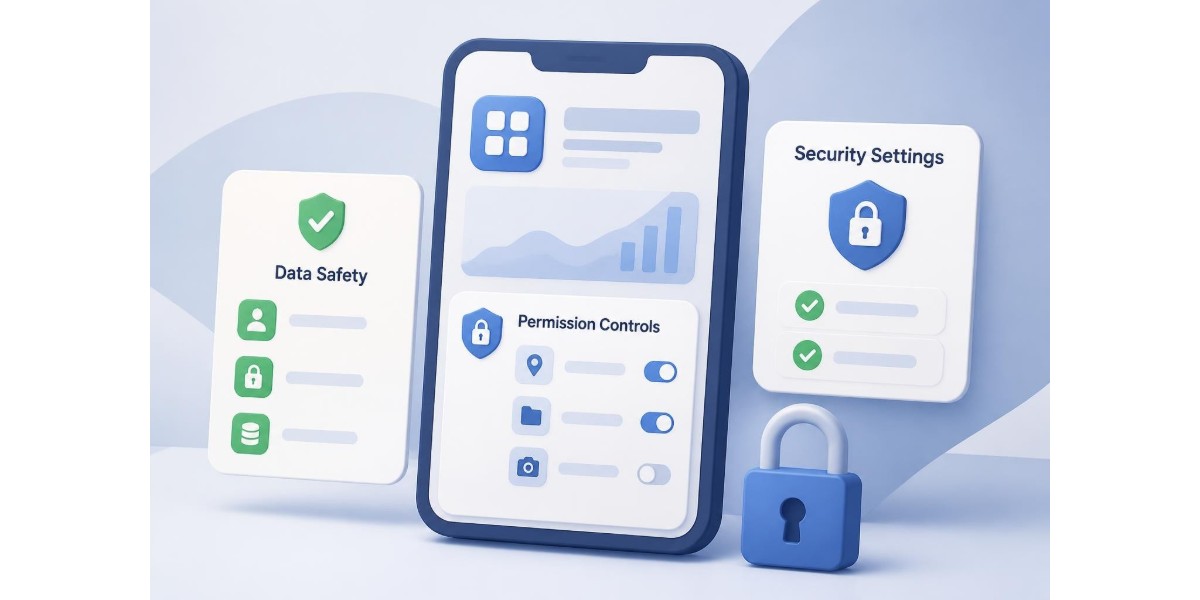
Every mobile application on your device holds a detailed technical profile-permissions granted, data collected, network access, and security declarations. This profile, commonly accessed through the app info app interface, serves as the control centre for understanding what each application can do, what information it accesses, and how it handles your data. For electricians and compliance professionals managing sensitive client information through mobile platforms, understanding and actively monitoring app info has become a non-negotiable security practice. When your workflow depends on capturing certificate data, storing client details, and transmitting compliance documents, knowing exactly what your tools can access isn't optional-it's essential.
Understanding the App Info App Interface
The app info app screen on modern Android and iOS devices provides a centralised dashboard for every installed application. On Android, you reach this interface by long-pressing any app icon and selecting "App info," or navigating through Settings > Apps. The information presented includes installation date, version number, storage usage, permissions granted, battery consumption, and data usage statistics.
Core Components of App Information
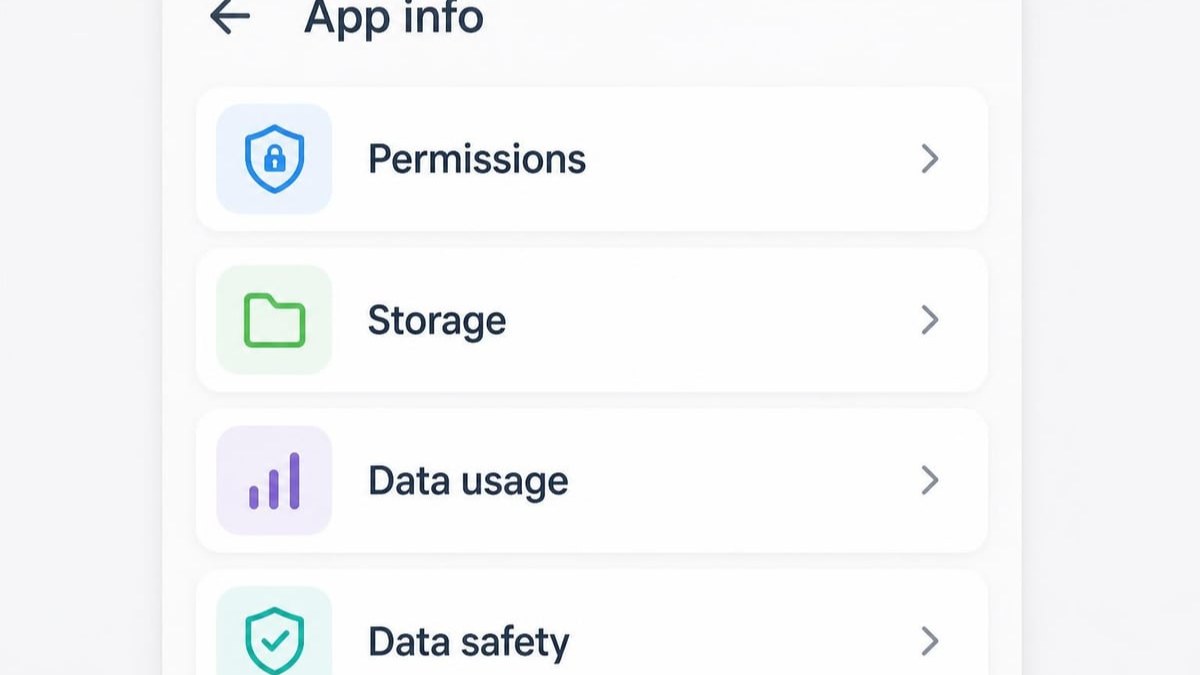
Every app info app display contains several critical sections that reveal how an application operates:
- Permissions: Lists granted access to camera, microphone, location, contacts, storage, and other device features
- Storage: Shows how much space the app occupies, including cache and user data
- Data usage: Displays network activity, both mobile and Wi-Fi consumption
- Battery: Reveals power consumption patterns and background activity
- Notifications: Controls alert settings and notification channels
- Default settings: Indicates if the app handles specific file types or actions by default
Modern implementations also surface data safety information, a relatively recent addition mandated by both Google and Apple. Android's data safety section requires developers to declare what data their app collects, shares with third parties, and the security practices employed. This transparency layer gives users concrete information before granting trust to any application.
| Information Category | What It Reveals | Why It Matters |
|---|---|---|
| Permissions | Device features the app can access | Identifies over-reaching access requests |
| Data Safety | Collection, sharing, encryption practices | Validates security claims before use |
| Storage Usage | Space consumed by app data and cache | Indicates data retention and cleanup needs |
| Background Activity | Battery and data use when app is closed | Reveals unexpected connections or tracking |
The app info app interface differs slightly between Android and iOS ecosystems. Apple's approach, documented in their App Privacy details framework, emphasises pre-installation disclosure through App Store privacy labels. Android displays similar information within the device settings, with Android 14 introducing enhanced app metadata schemas that surface data-safety details directly in system interfaces.
Reading Data Safety Declarations
Data safety sections within the app info app deserve particular scrutiny. These declarations answer three fundamental questions: What data does this app collect? Is that data shared with third parties? How is the data secured during transmission and storage?
For compliance-focused mobile applications-tools handling certificates, signatures, client information-the answers matter enormously. An app claiming to encrypt data in transit should declare TLS/SSL usage. One storing sensitive documents must specify encryption at rest. Research from the Usable Privacy project has highlighted significant discrepancies between app store privacy labels and actual app behaviour, making it critical to verify claims through technical auditing where possible.
Security Implications of App Information
The app info app serves as your first line of defence against over-privileged applications. Every permission granted represents potential exposure if an app is compromised, behaves maliciously, or simply collects more data than necessary for its stated purpose.
Permission Auditing for Business Applications
Consider a typical compliance workflow application. It legitimately needs:
- Camera access to photograph installation work and test results
- Storage permissions to save certificates and supporting documentation
- Network access to sync data to cloud storage
- Signature capture capabilities for client and contractor signatures
It does not typically require access to your contacts, call logs, SMS messages, or precise GPS location (approximate location may suffice for site identification). When an app info app review reveals permissions beyond the application's core function, that's a red flag requiring investigation.
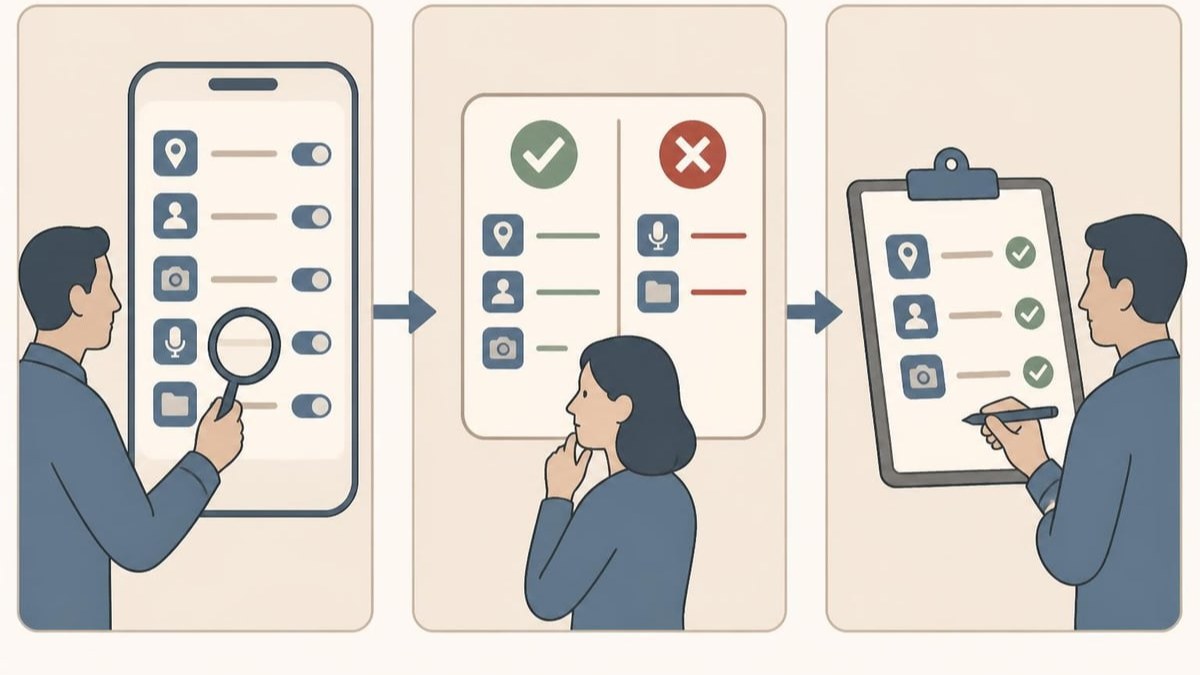
The OWASP Mobile Top 10 framework identifies "Insecure Data Storage" and "Insufficient Privacy Controls" among the most prevalent mobile security risks. By systematically reviewing app info for each business-critical application, you create a permission baseline-a documented understanding of what each tool should access, making anomalies immediately visible.
Enterprise Device Management and App Info
In managed-device environments, administrators can control whether users can even access the app info app interface. Zebra's technical documentation describes how Mobile Device Management (MDM) solutions can restrict access to app settings, preventing unauthorised permission changes whilst maintaining security oversight at the organisational level.
For electrical contractors managing teams through mobile compliance platforms, this presents a balance: field technicians need functional apps but shouldn't be able to disable security features or grant dangerous permissions without oversight.
Verifying App Trustworthiness Through Info Screens
The app info app provides visible evidence, but determining true trustworthiness requires deeper investigation. Privacy labels and data safety declarations rely on developer honesty-they're self-reported information subject to review by platform providers but not always technically verified in real-time.
Academic analysis of app metadata demonstrates methods for extracting actual permissions, embedded SDKs, and third-party trackers from app binaries. These technical audits sometimes reveal undisclosed data collection, analytics frameworks, or advertising SDKs not mentioned in store listings or app info screens.
Practical Verification Steps
For business-critical applications, especially those handling compliance documentation and client data, consider these verification steps:
- Cross-reference permissions with the app's stated functionality-does each permission have an obvious use case?
- Monitor network activity using device-level tools or enterprise security solutions to see where data actually travels
- Review update patterns in the app info app version history-frequent, small updates often indicate active maintenance and security patching
- Check developer reputation through the publisher information shown in app info and store listings
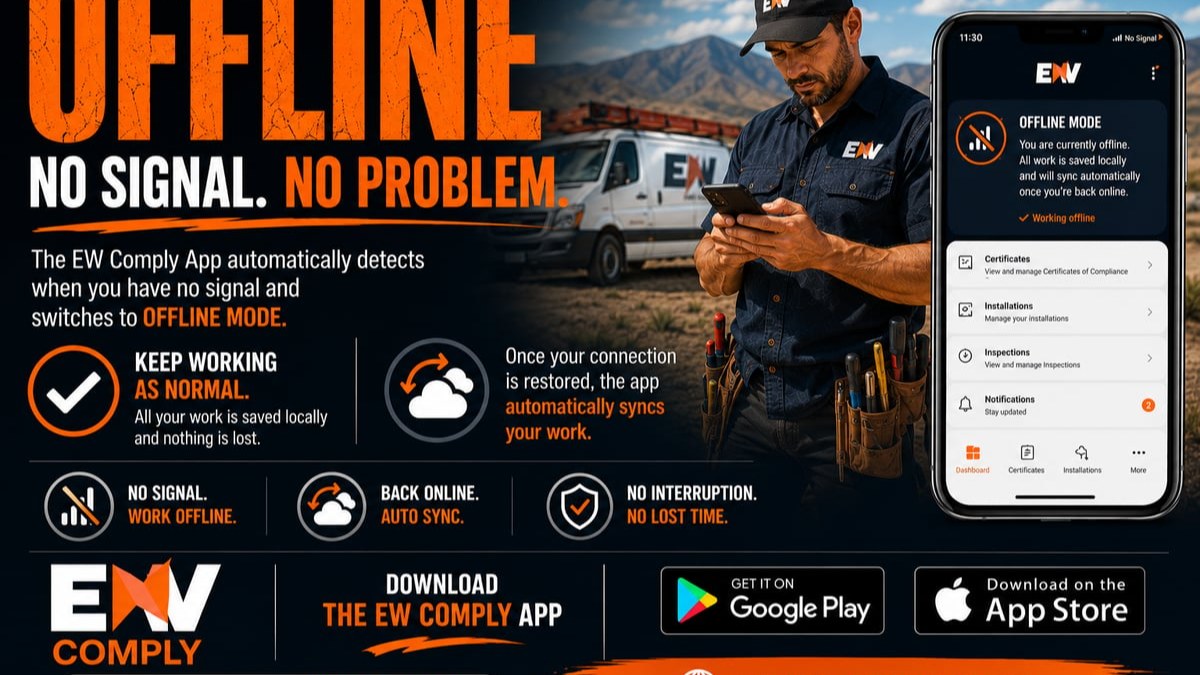
- Test offline functionality to determine whether the app requires constant connectivity (and if so, why)
Energy Warehouse's offline capability addresses a common concern: when an app info app review shows constant background data usage, it raises questions about what's being transmitted and why. Compliance applications should be able to function without continuous network access, syncing data only when connectivity is available and needed. This design pattern both reduces data exposure and ensures field work continues regardless of signal strength.
The Accessible Android guide offers practical walkthroughs for navigating app info screens, particularly useful when training team members to conduct their own permission audits. Empowering users to understand what they're seeing in the app info app transforms security from an IT responsibility into a shared organisational practice.
Managing App Information Across Your Device Fleet
When you're running a business that depends on mobile tools-whether for team collaboration on job sites or digital document signing-app info app management scales beyond individual devices to fleet-wide governance.
Establishing App Information Standards
Creating an approved application list starts with app info app audits. For each tool under consideration:
- Document all requested permissions with business justification
- Record data safety declarations and retention policies
- Note version numbers and update frequency
- Identify data transmission destinations (which cloud services, which servers)
- Assess compliance with relevant data protection regulations
| Security Check | Red Flag | Green Flag |
|---|---|---|
| Permission scope | Requests unrelated to function | Only essential permissions requested |
| Data retention | Undefined storage periods | Clear deletion policies stated |
| Encryption | No mention of data security | TLS transit + at-rest encryption declared |
| Third-party sharing | Shares data with advertisers/analytics | No third-party sharing or clearly justified |
| Update cadence | Abandoned apps (no recent updates) | Regular security patches visible |
Your data protection policies should specifically address how app info app reviews fit into onboarding new tools. Before deploying any application to field technicians, a designated reviewer should complete a standardised app information assessment.
Routine App Info Auditing
Applications evolve. An app info app screen showing sensible permissions today might reveal new, concerning access requests after an update. Implementing quarterly app info audits ensures your security posture keeps pace with software changes.
During these reviews:
- Compare current permissions against your documented baseline
- Check for new data safety disclosures that indicate changed data practices
- Review storage consumption trends (unexpected growth may indicate data hoarding)
- Assess battery and background data usage for signs of unwanted activity
- Verify that security-critical apps remain updated to current versions
For organisations subject to compliance frameworks (electrical safety standards, data protection regulations, industry certifications), maintaining audit logs of app info app reviews demonstrates due diligence in information security governance.
App Info and Compliance Workflows
When your business centres on compliance documentation-certificates that carry legal weight and professional liability-the security properties visible in an app info app screen take on heightened importance. A compromised compliance tool doesn't just leak data; it undermines the integrity of your certification process.
Data Lifecycle Visibility
The app info app reveals where application data resides throughout its lifecycle. Storage metrics show local retention. Network statistics indicate cloud synchronisation. Background activity patterns suggest when data is being processed or transmitted.
For compliance applications, this visibility answers critical questions:
- Are certificates stored exclusively on secure cloud infrastructure or cached indefinitely on devices?
- When does data sync occur, and is it encrypted during transmission?
- How long do images, signatures, and client details persist in local storage?
- Can sensitive information be properly deleted, or does it linger in app caches?
Understanding the Energy Warehouse platform approach to these questions-cloud-first storage, secure transmission, proper data lifecycle management-becomes easier when you know how to interpret the technical evidence presented through app info app screens.
Biometric Security in App Information
Modern compliance applications increasingly leverage biometric authentication-fingerprint or facial recognition to control access. These security features appear in app info app permissions as requests for biometric hardware access.
When evaluating a biometric-enabled compliance tool, the app info app should show:
- Limited permission scope (biometric access only, not full device admin rights)
- Clear data safety declarations about how biometric data is handled (typically, it should never leave the device's secure hardware)
- Appropriate storage permissions for encrypted credential caching
- Network permissions justified by cloud sync requirements, not by transmitting biometric data
The presence of biometric permissions in an app info app screen isn't inherently concerning-but the absence of clear privacy declarations about how that sensitive data is protected absolutely is.
Technical Deep-Dive: What App Info Reveals to Developers
Whilst most users interact with the app info app as consumers checking their installed applications, developers view the same information through a different lens-as a debugging tool and deployment verification mechanism.
Developer Perspectives on App Metadata
Application developers use app info screens to verify:
- Manifest declarations are correctly implemented and surfaced to users
- Runtime permissions are being requested and granted as designed
- Storage patterns match expected cache and data usage profiles
- Network behaviour aligns with intended API communication
- Background services are operating within acceptable battery and data constraints
For compliance tool developers, the app info app serves as immediate feedback on whether security features are properly exposed to users. If a platform promises encrypted storage but the data safety section doesn't declare encryption at rest, there's a mismatch between implementation and disclosure.
The Android developer documentation on data use declarations provides extensive guidance on filling these fields accurately, but verification still falls to the development team's quality assurance processes and, ultimately, to end users reviewing their app info app screens.
Extracting Technical Details
Beyond the user-facing app info app interface, technical tools can extract deeper metadata. Academic researchers and security auditors use static analysis to examine:
- Full permission manifests (including special permissions not visible in standard UI)
- Embedded third-party SDKs and their data collection capabilities
- Obfuscation techniques that might hide actual application behaviour
- Code signatures and certificate chains for validating app authenticity
- Network endpoint destinations buried in compiled code
This technical analysis methodology reveals discrepancies between what an app info app screen shows and what an application actually does. For business users, the practical takeaway is that whilst app info provides valuable visibility, it represents declared behaviour rather than guaranteed reality-making developer reputation and transparency paramount when selecting compliance tools.
Practical App Info Management for Field Teams
Electricians and compliance professionals working in the field need practical guidance, not just theoretical security knowledge. Making app info app auditing part of your operational workflow requires simplifying the process and connecting it to tangible benefits.
Quick Daily Checks
Before starting a job that involves sensitive client data or compliance documentation, team members can perform a 30-second app info app verification:
- Open the compliance app's info screen
- Verify no unexpected permissions have been granted (compare against a reference screenshot)
- Check that background data is enabled if you need cloud sync
- Confirm the app version matches the current approved release
This brief check creates a security habit without disrupting workflow. It also helps identify issues-like accidental permission revocations or unauthorised app downgrades-before they cause problems on site.
Training Teams on App Information
Effective training demystifies the app info app interface. Rather than overwhelming field technicians with security theory, focus on specific, actionable skills:
- Where to find the app info screen for business-critical applications
- What to look for in permissions (flag anything beyond camera, storage, network)
- When to escalate concerns (new permissions after updates, unexpected battery drain)
- How to screenshot app info screens for documentation or support requests
Creating a simple one-page guide with annotated app info app screenshots specific to your compliance platform gives teams a reference they can consult immediately. Include both "normal" examples (correct permissions and settings) and "concerning" examples (red flags that warrant investigation).
App Info Integration with Business Systems
For organisations managing compliance at scale, app info app data shouldn't exist in isolation. Integrating permission and security information into broader business systems creates comprehensive visibility.
Mobile Device Management Integration
Enterprise MDM solutions can automatically inventory app info across your device fleet:
| MDM Capability | App Info Integration | Business Value |
|---|---|---|
| Application catalogue | Centralised app info app data from all devices | Instant fleet-wide permission visibility |
| Compliance monitoring | Automated checks against permission baselines | Alerts when apps request new access |
| Remote auditing | Pull app info without physical device access | Support remote teams effectively |
| Update enforcement | Track app info version numbers across fleet | Ensure security patches are deployed |
This systematic approach transforms individual app info app screens into organisational intelligence. You can answer questions like "Are all field devices running the current version of our compliance app?" or "Has anyone granted location access to applications that shouldn't need it?" without manual device-by-device checks.
Documentation and Audit Trails
When compliance is your business, documentation is everything. App info app screenshots become evidence in your security audit trail:
- Capture app info screens during initial application approval processes
- Record permission changes when updates introduce new access requirements
- Document security incidents with before/after app info comparisons
- Include app info data in annual security assessments and reviews
These records demonstrate due diligence to regulators, insurers, and clients who want assurance that you protect their data appropriately. The Energy Warehouse approach to compliance documentation extends naturally to the tools you use-documenting not just your electrical work but also the security properties of the platforms that handle that documentation.
Privacy Considerations in App Information
The app info app interface itself raises interesting privacy questions. The information it surfaces is meant to inform user decisions and enhance transparency, but the effectiveness depends on how understandable and actionable that information actually is.
The Privacy Label Effectiveness Debate
Research into privacy labels-the data safety sections within app info app screens-reveals mixed results on their effectiveness. Whilst most users appreciate having the information available, many struggle to interpret technical declarations or don't review them before granting permissions.
For business contexts, this creates an opportunity: by establishing organisational standards and training, you can ensure your team actually uses app info app data effectively rather than reflexively clicking "Allow" on every permission request.
Privacy-conscious application design surfaces security features prominently. When evaluating compliance tools, look for developers who not only declare their data practices accurately in app info screens but also explain them in plain language through in-app messaging, onboarding flows, and documentation.
Balancing Functionality and Privacy
The app info app often reveals inherent tensions between functionality and privacy. A compliance platform legitimately needs certain permissions to function, but how those permissions are implemented makes the difference:
- Camera access: Does the app store full-resolution images locally, or immediately upload to encrypted cloud storage?
- Network access: Does background sync run continuously, or only when triggered by user actions?
- Storage permissions: Does the app request broad access, or use scoped storage to limit what it can see?
The app info app shows that permissions were granted. Understanding how they're used requires reading privacy policies, reviewing data safety details, and sometimes conducting technical audits. For the electrician in the field, the practical approach is choosing platforms with transparent, security-first designs from reputable developers-then verifying those claims through app info app monitoring.
Understanding what the app info app reveals about your mobile tools transforms security from an abstract concern into a tangible, manageable practice. By systematically reviewing permissions, verifying data safety declarations, and integrating app information into your compliance workflows, you create layered protection for the sensitive client and certification data your business handles daily. Energy Warehouse provides electricians with a secure, compliant platform specifically designed for SANS 10142-1 certificate management, featuring transparent security practices, offline capability, and biometric protection that stand up to thorough app info app scrutiny. Take control of your mobile security today by starting with a simple app info audit of every business-critical tool you use.